Key Takeaway
Step-by-step guide to setting up Claude AI for UK electricians in 2026. Covers custom instructions, trade-specific prompts, and Xero integration setup.
The electrician who beat you to that last job did not have a secretary. He had a chatbot that already knew his prices, his tone, his standard terms and the way he likes a quote laid out — so when an enquiry landed at half past seven, he had a polished reply written before he had finished his tea. That is the difference between using AI and setting up an AI worker. One you talk to from scratch every time. The other already knows your business.
This is the practical guide to building the second kind. No code, no developer, about an hour of setup, and the result is a single assistant you return to all day that drafts in your voice and stops you re-explaining your business twenty times a week. Here is exactly how to do it.
What an AI Worker Actually Is
A normal chatbot is a stranger you brief from zero on every conversation. You paste in your prices, remind it you are an electrician, tell it your tone, and only then does it produce something useful. Do that ten times a day and you have spent the time you were trying to save.
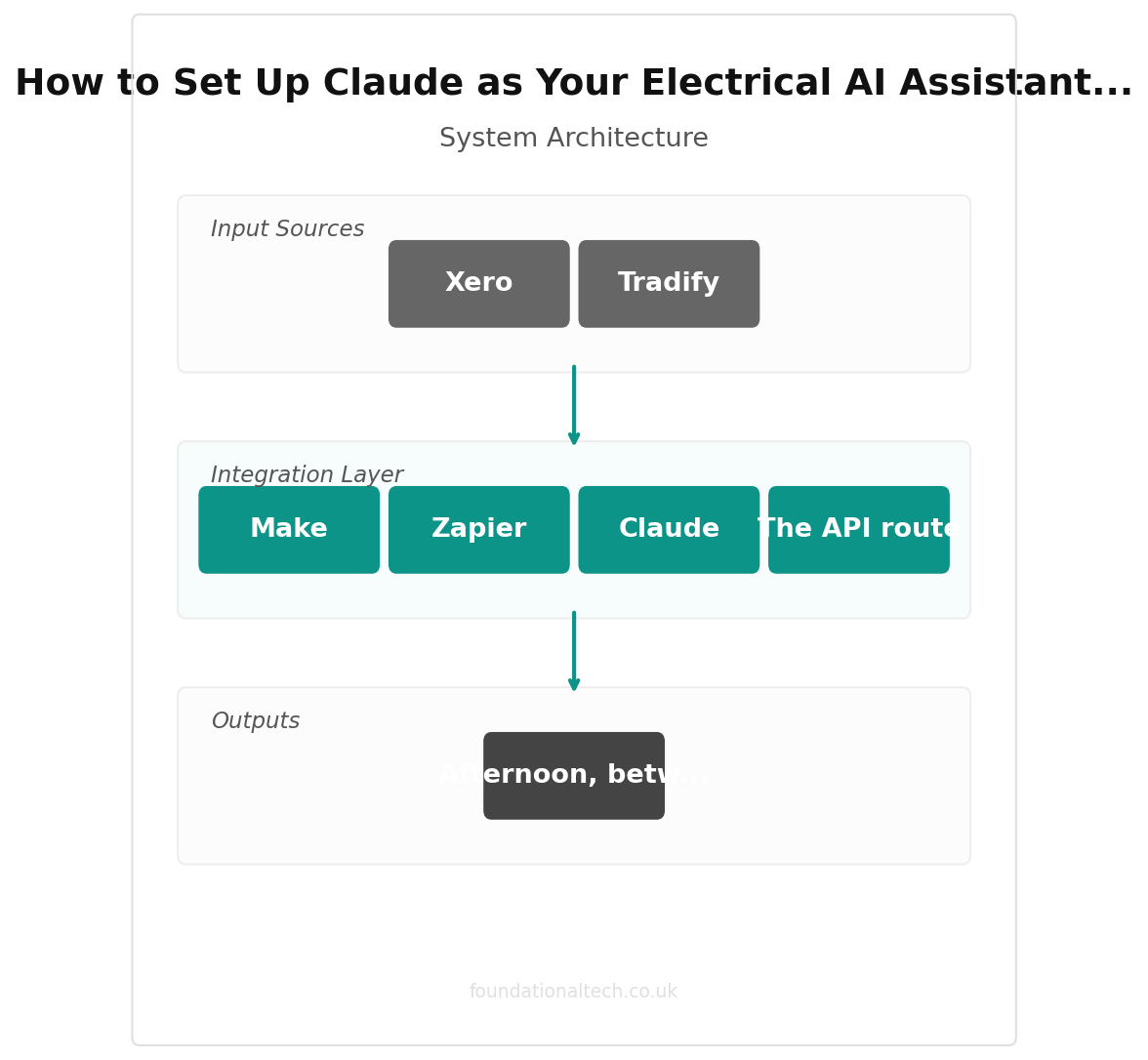
An AI worker is the same underlying tool — Claude or ChatGPT — but configured once with permanent instructions and a knowledge base about your firm. It remembers that you are a NICEIC-registered electrician in Leeds, that you charge £45 an hour, that you never quote a price without seeing the board, and that your customers are mostly homeowners who want plain English. You open it, type "draft a reply to this enquiry," paste the message, and it answers the way you would — because you taught it once instead of every time.
It is not magic and it is not a replacement for you. It cannot test an installation, sign a certificate or make a safety call. What it replaces is the part-time admin person you cannot quite justify hiring: the one who would draft your quotes, chase your invoices, tidy your job notes and answer the same three customer questions for the hundredth time.
Step 1: Choose Your Platform
Three realistic options, and for most electricians the choice is easy.
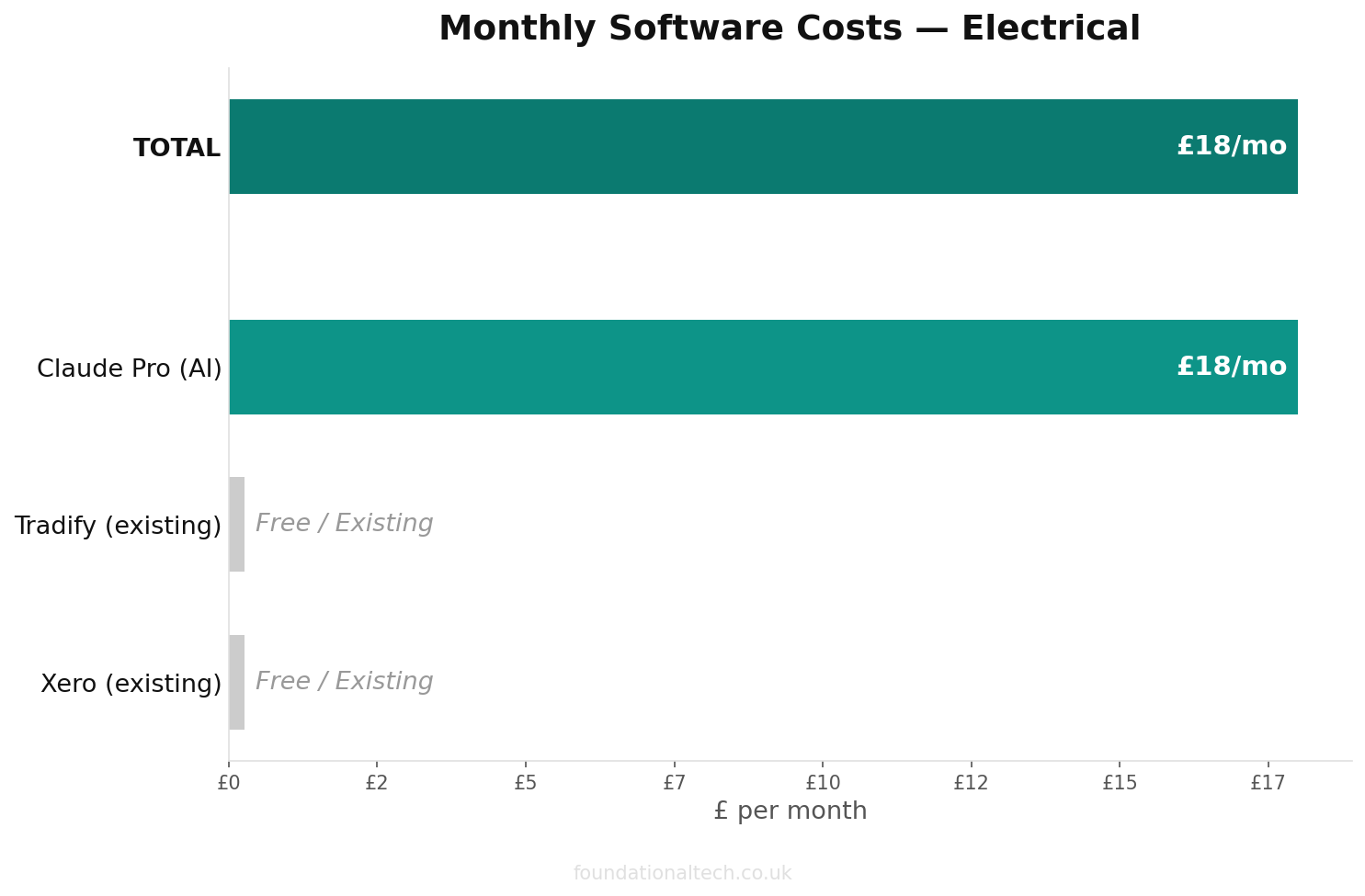
Claude Projects is the one to start with. A "Project" is a workspace where you write custom instructions once and upload your own documents — price lists, terms, templates — that the assistant uses in every chat inside that project. It is part of Claude Pro, which is around £18 a month, or about £14 a month (£168 a year) if you pay for the year up front. The instructions field holds a serious amount of detail and you can upload your real paperwork, so the assistant genuinely knows your business rather than guessing.
ChatGPT Custom GPTs do much the same job and come with ChatGPT Plus, about £20 a month. If you already pay for ChatGPT and are comfortable in it, build there instead; the principles below transfer exactly.
The API route — wiring AI directly into your software — is more powerful and completely unnecessary for now. Ignore it until you have run a configured assistant for a few months and hit a wall. You will not hit it soon.
Pick one. Pay for one. You do not need both, and the differences between them matter far less than actually setting one up properly.
Step 2: Write Your System Prompt
The system prompt is the standing brief — the thing your assistant reads before every single reply. This is where most of the value lives, so spend twenty minutes on it. Open a new Claude Project, find the custom instructions box, and paste in something like this, edited for your business:
You are the office assistant for [Your Business], a [NICEIC/NAPIT]-
registered domestic and small-commercial electrical contractor based in
[town]. You help the owner with written admin only.

ABOUT THE BUSINESS:
- We do: rewires, consumer unit upgrades, EICRs, fault finding, EV
  charger installs, additional circuits, lighting, landlord
  certificates.
- Labour rate: £[45] an hour. Day rate: £[300]. Call-out: £[X].
- Area: [Leeds and 15 miles around].
- Customers: mostly homeowners and a growing number of letting agents.

HOW I WORK:
- I never give a firm price without seeing the consumer unit / the job.
- I itemise labour and materials separately on every quote.
- Tone: friendly, plain English, no jargon, no hard sell. Like a
  trusted local tradesperson, not a corporate brand.

YOUR JOB:
- Draft quotes, emails, texts, job summaries, social posts and review
  replies in my voice.
- Read and summarise long emails, statements and documents.
- Turn my rough notes into tidy customer-facing writing.

HARD RULES — NEVER BREAK THESE:
- NEVER invent prices, VAT figures or material costs. Leave anything I
  haven't given as [SQUARE BRACKETS] for me to fill in.
- NEVER generate an EICR, Electrical Installation Certificate, Minor
  Works Certificate, or Part P / Building Regulations notification.
  These are legal documents tied to my registration. You may draft a
  plain-English covering note that goes alongside them, nothing more.
- NEVER diagnose a fault as certain from limited information. Always say
  where I'd need to inspect on site.
- If you're unsure, ask me rather than guessing.
Those hard rules are not optional padding. They are what keep the tool on the safe side of the line between admin help and professional liability. An assistant that drafts your covering letter is a gift. One that confidently invents an EICR is a disaster waiting to happen. Spell out the boundary and it will respect it.
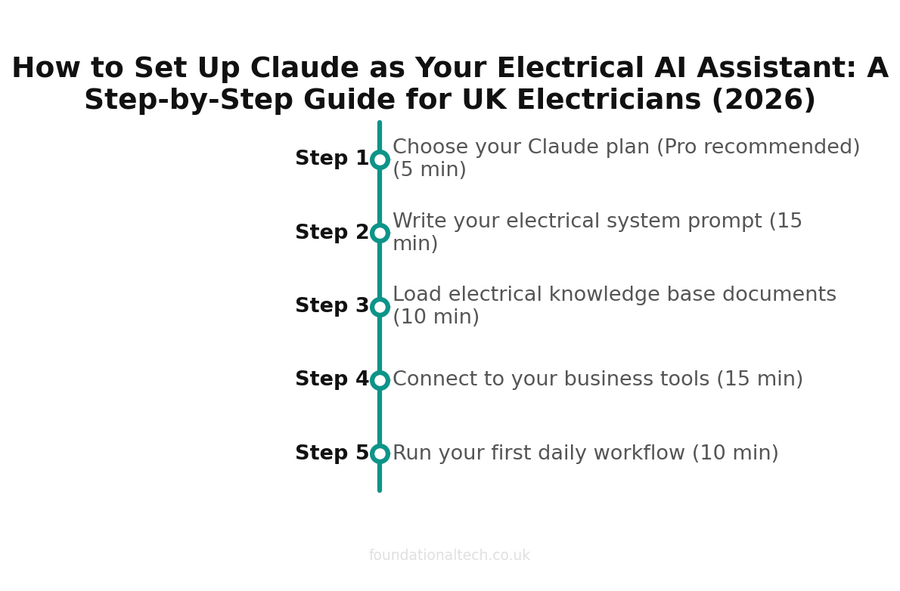
| Step | Action | Time |
|---|---|---|
| 1 | Choose your Claude plan (Pro recommended) | 5 min |
| 2 | Write your electrical system prompt | 15 min |
| 3 | Load electrical knowledge base documents | 10 min |
| 4 | Connect to your business tools | 15 min |
| 5 | Run your first daily workflow | 10 min |
Step 3: Load Your Knowledge Base
The system prompt tells the assistant how to behave. The knowledge base tells it the facts of your business. In Claude Projects you upload documents straight into the project, and the assistant draws on them in every chat. Spend half an hour gathering these:
Upload your current price list or rate card, even a rough one — it stops the assistant guessing numbers and means quotes come back closer to finished. Upload two or three real quotes you were proud of, so it can copy your structure and wording; this single step does more for the "sounds like me" problem than anything else. Add your standard terms and conditions, your guarantee wording, and your payment terms, so every quote and invoice email carries the right small print without you pasting it in. Include a short FAQ — your answers to "do you cover my area," "can you do an EICR," "how soon can you come," "do you do EV chargers" — and the assistant will handle first-line enquiries in your exact words. Finally, drop in a list of the services you offer with a one-line plain-English description of each, so it never invents work you do not do.
You do not need all of this on day one. Start with one good quote and your rate card, and add the rest as you notice the gaps. Every document you add makes the next reply sharper.
Step 4: Connect It to Your Tools
This is the step people overcomplicate. You do not need a developer, and you do not need to integrate anything to get most of the value. Copy and paste between your assistant and Tradify, Xero or your inbox is enough for the first few months — and it is what nearly every electrician using AI well actually does.
When you do want to go further, the no-code route is a tool such as Zapier or Make sitting between your apps. A typical setup: a new enquiry hits your contact form or inbox, the automation passes it to your AI assistant for a drafted reply, and the draft lands back in your inbox for you to check and send. Nothing goes out without your eyes on it. Another common one: when you mark a job complete in Tradify, the details get summarised into a customer job sheet automatically. These take an afternoon to build and there are step-by-step guides for each, but treat them as a phase two. The configured assistant on its own, driven by copy and paste, is where the hours come back first.
A word on data. Keep customer details light — first name and the job is plenty for a draft — and never paste in anything you would not want sitting on a third-party server, such as full card numbers. The assistant needs the shape of the job to write well, not a complete customer file.
Under 1 hour
Total setup time to get Claude running as your electrical AI assistant
Step 5: Your Daily Workflow
Here is what it looks like once it is running, across a normal day.
Morning, in the van. Overnight enquiries have landed. You open the assistant, paste the messages in, and ask it to sort them — emergencies first, quote requests second, the rest after — and to draft a holding reply to each. Two minutes and your inbox is triaged before your first job, with replies ready to send from a traffic light.
Mid-morning, after a survey. You have scribbled notes from a consumer unit job. You paste them in and ask for an itemised quote in your voice. It comes back structured, warm and 90% done; you check the prices, fill the brackets, and send before you have packed the van. The quote that used to wait until the evening is gone by lunchtime.
Afternoon, between jobs. An EICR has come back with a couple of C2 codes and the landlord is going to worry. You give the assistant your observations and ask for a calm covering note. It explains the codes in plain English, flags what is urgent, and points to the remedial work — which you then quote for. The follow-up call that would have eaten twenty minutes never needs to happen.
End of day, on the sofa. Instead of the dreaded admin hour, you hand it the day's loose ends: chase the two overdue invoices, draft a job sheet for today's repair, write a social post about the rewire you finished. Fifteen minutes and the unbillable evening work that used to swallow your night is done.
None of this replaces your judgement. You still set every price, make every safety call and sign every certificate. What changes is that the writing and sorting and remembering — the part-time job hiding inside your business — now takes a fraction of the time, because you trained the assistant once instead of starting from scratch every single day.
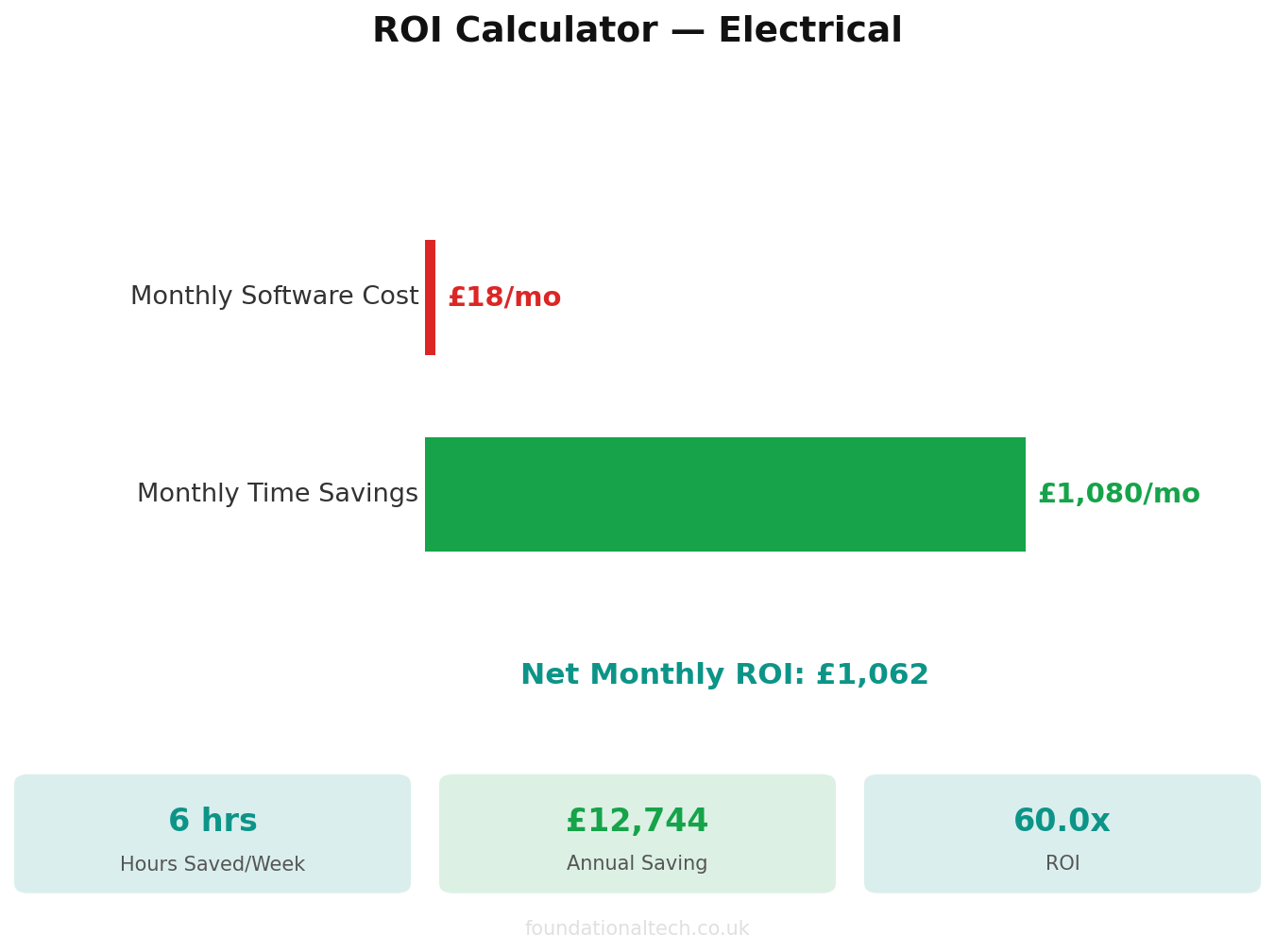
Set yours up this week. An hour now buys back an evening a week for the rest of the year.
Related guides: If you found this useful, see our guide on AI Prompts for Electricians: 12 Copy-and-Paste ChatGPT & Claude Prompts Every UK Electrician Should Use in 2026 and The Electrical Business That Runs Itself: How UK Electricians Are Automating Everything in 2026.
Set up your AI worker this week and reply telling me how it went — what it nailed, and where it fell short. I read every reply, and the rough edges you find are exactly what I write about next.