Key Takeaway
The complete e-commerce integration map for UK Shopify sellers in 2026. Every app connected to Shopify and Xero with data flow diagrams and setup steps.
Most online sellers buy software the way they buy phone chargers: one at a time, in a panic, when something stops working. The result is a drawer of cables that don't quite reach — eight subscriptions that each solve one problem and none of which talk to each other.
This article is the wiring diagram for a UK e-commerce business. It shows which tools connect directly, which need a piece of middleware in between, and which connections quietly break at the worst possible moment. If you've followed this series, you already own most of the parts. This is how they fit together.
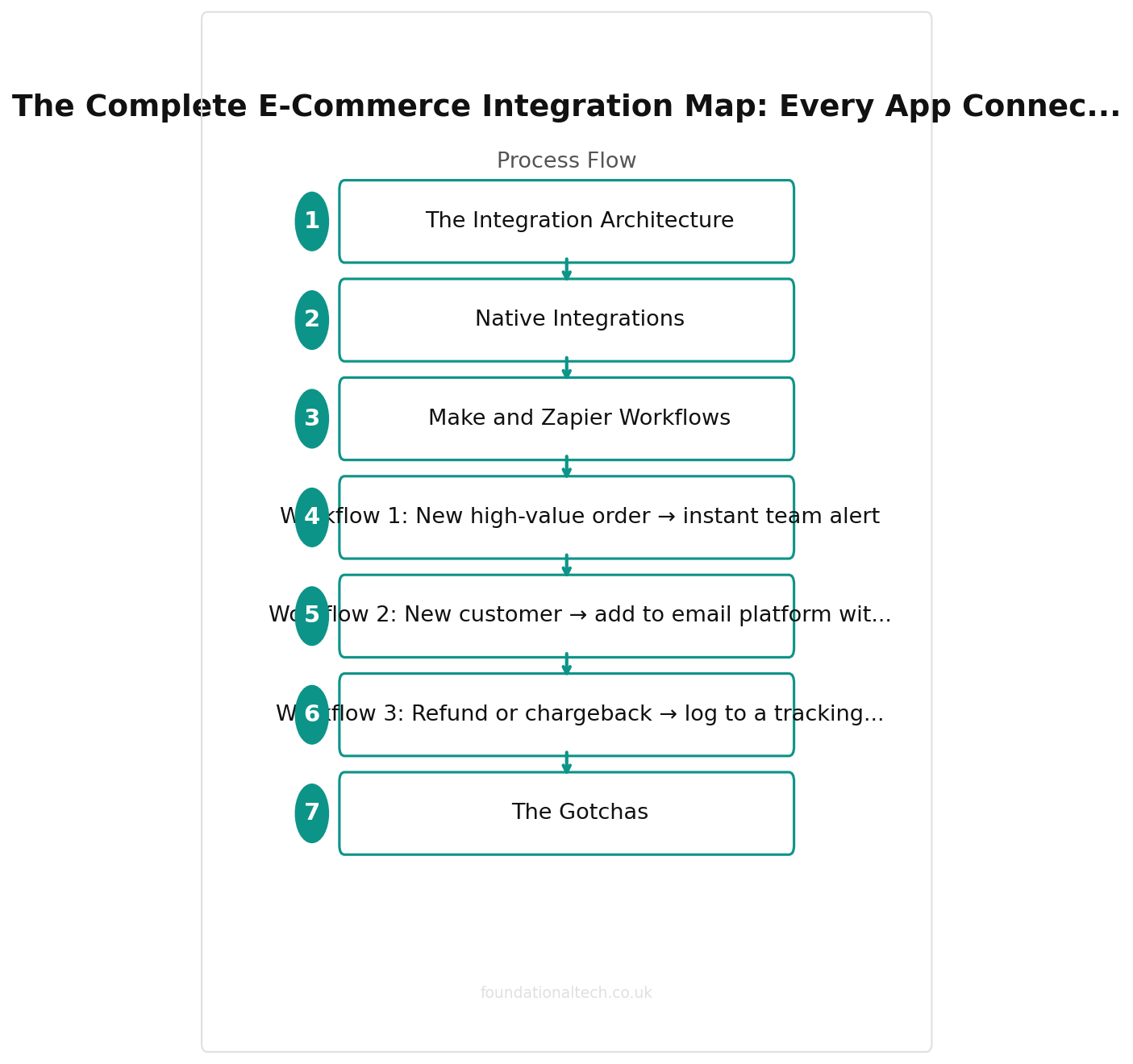
The Integration Architecture
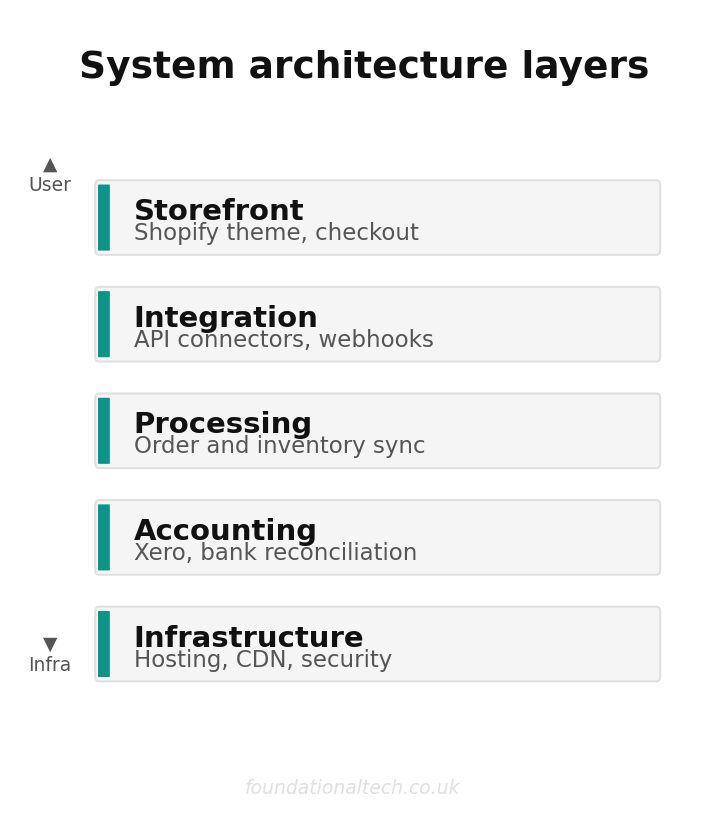
Picture the stack as four layers, with money and data flowing downward.
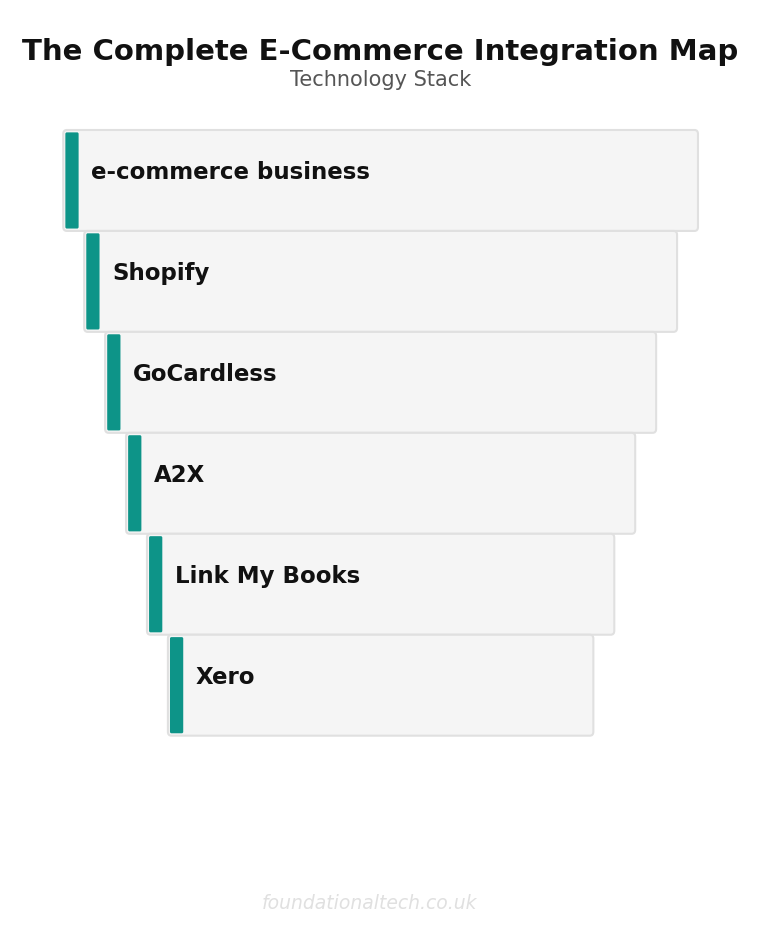
At the top sits the storefront — Shopify — where orders happen. Below it, the money layer: Shopify Payments, plus Stripe or PayPal for off-platform sales, and GoCardless for any subscription or invoice billing. Beneath that, the translation layer — A2X or Link My Books — whose only job is to turn the storefront's messy payout data into clean accounting entries. At the bottom, the books: Xero, with Hubdoc feeding it supplier paperwork.
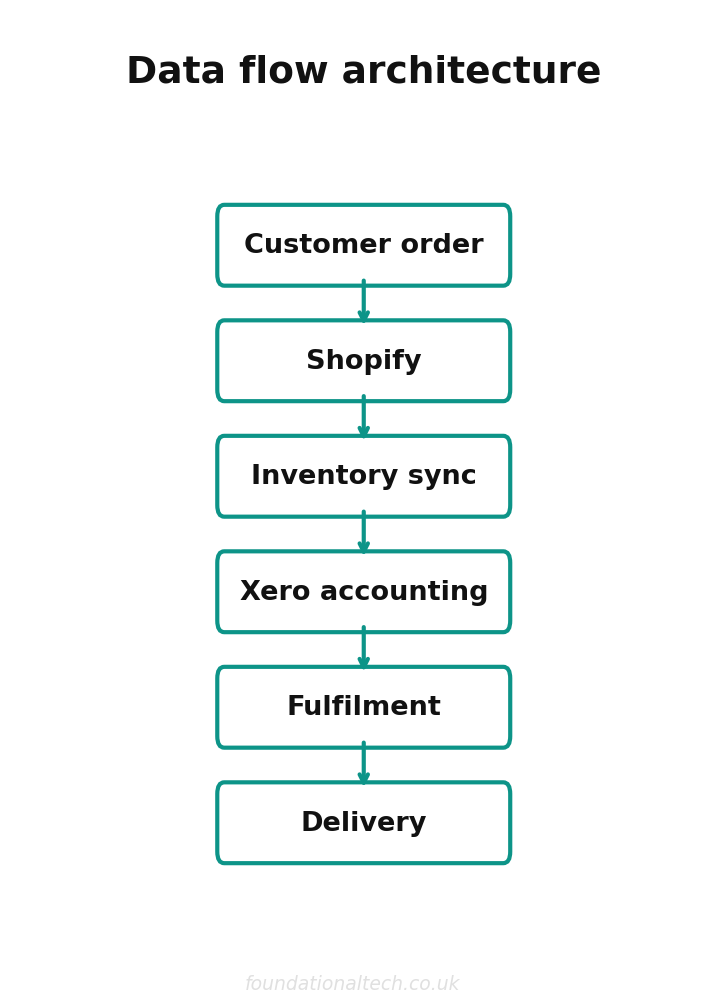
Data should flow top to bottom without you touching it. An order in Shopify triggers a payment, the payment becomes a payout, the payout gets translated into a journal, and the journal lands in Xero already reconciled. When that chain is wired correctly, your accounts are current every morning. When one link is missing, a human — usually you, usually on a Sunday — has to carry the data across the gap by hand.
The art of a good stack is knowing where the gaps are.
Native Integrations
Native means two tools connect directly, built by one of the vendors, no middleman. These are the connections to prefer — they're free, maintained by the people who make the apps, and they rarely break.
Shopify ↔ Shopify Payments. Built in. Card processing lives inside the platform, so order and payment data never separate. UK fees run from 2.0% + 25p on Basic down to 1.5% + 25p on Advanced.
A2X ↔ Shopify and A2X ↔ Xero. A2X plugs into both ends natively. It reads each Shopify payout, splits it into sales, refunds, fees and tax, and posts a summary journal to Xero that matches the actual bank deposit to the penny. This is the single most important connection in the stack, and it needs no middleware. A2X starts around £23/month (billed in US dollars at $29) for one Shopify store.
Link My Books ↔ Shopify and Xero. The direct competitor to A2X, wired the same way, native on both sides. From around £13/month for a low-order store. Either tool does the translation job; you don't need both.
Hubdoc ↔ Xero. Owned by Xero, included free on every UK plan. Forward a supplier invoice to your Hubdoc inbox and it arrives in Xero coded and attached. No connector to configure.
Xero ↔ your bank. Open-banking feeds pull transactions into Xero automatically from every major UK bank. This is the reconciliation backbone — the A2X journal meets the real bank feed and matches itself.
Shopify ↔ Xero (the free official app). Worth a specific warning. Shopify publishes a free direct Xero connector, and it is the wrong tool for most British sellers. It posts an invoice per order rather than a clean payout summary, ignores the splitting of fees and VAT, and quickly clogs Xero with thousands of lines that never reconcile against a single bank deposit. Use A2X or Link My Books instead. The free app's only honest use is a tiny store with a handful of orders a month.
The rule: if a native connection exists between two tools you use, switch it on and stop there. You only reach for middleware when no native bridge exists.
| Connection | Direction | What Syncs |
|---|---|---|
| Shopify → A2X | Native | Orders, refunds, fees as journals |
| A2X → Xero | Native | Summarised payout journals |
| Shopify → Stripe | Native | Payment processing |
| GoCardless → Xero | Native | Subscription payment reconciliation |
| Hubdoc → Xero | Native | Supplier invoice capture |
| Shopify → Mailchimp | Zapier/Make | Customer sync for marketing |
Make and Zapier Workflows
When two apps have no native link — say, Shopify and your email tool, or a marketplace and your spreadsheet — you bridge them with an automation platform. The two that matter in the UK are Make (cheaper, visual, better for multi-step jobs) and Zapier (more apps supported, simpler for one-step tasks).
Pricing, verified June 2026 (both tools bill in US dollars, so the £ figures are approximate). Zapier: free for 100 tasks a month; Starter around £16/month (US$19.99) on annual billing for 750 tasks; Professional around £38/month (US$49) for 2,000 tasks. Make: free for 1,000 credits a month; Core from around £7/month (US$9); Pro around £13/month (US$16), both with roughly 10,000 operations. For most sellers Make's free or Core tier covers everything below. A "task" or "operation" is one action — so budget by how many orders or events you expect to fire each workflow.
Workflow 1: New high-value order → instant team alert
Trigger: New Shopify order above a set value (say £250).
Action: Post a message to Slack, WhatsApp or email with the order details and shipping address.
Why: High-value orders are the ones you want packed first and watched for fraud. This puts them in front of a human in seconds instead of next time someone opens the admin.
Setup time: 15 minutes. One trigger, one filter, one action.
Workflow 2: New customer → add to email platform with tags
Trigger: New paying customer in Shopify.
Action: Create or update the contact in Klaviyo or Mailchimp, tagged by product bought and order value.
Why: Shopify's native email links cover the basics, but if you run marketing elsewhere this keeps your list current without a nightly export. Segmented tags let you email a customer who bought the £80 bundle differently from one who bought a £6 sample.
Setup time: 30 minutes, mostly mapping fields once.
Workflow 3: Refund or chargeback → log to a tracking sheet
Trigger: Refund created in Shopify, or a dispute flagged in Stripe.
Action: Append a row to a Google Sheet, and notify you if refunds cross a daily threshold.
Why: A2X already books refunds correctly in Xero, but the accounting view won't tell you a single product line is quietly being returned 30% of the time. A running log surfaces the pattern weeks before any spreadsheet panic. A spike in chargebacks is also the earliest warning of a card-fraud run.
Setup time: 20 minutes.
A fourth pattern is worth knowing without a full build: Shopify Flow, free on every Shopify plan from Basic up, runs automations inside Shopify with no external platform at all — auto-tagging risky orders, holding fulfilment on suspected fraud, restock alerts. Reach for Flow when the whole job lives inside Shopify, and Make or Zapier only when you need to cross into another app.
Every Morning
A properly wired e-commerce stack means your Xero accounts are current daily — no Sunday reconciliation
The Gotchas
Integrations don't fail loudly. They fail by going quiet, and you find out at quarter-end. The recurring ones for e-commerce:
The reconnection trap. Open-banking feeds and some app connections expire on a 90-day security cycle and need re-authorising. Miss the email and the feed stops; Xero still looks reconciled because no new data is arriving to contradict it. Put a recurring monthly reminder in your calendar to confirm the bank-feed date is current. This is the most common silent break in the entire stack.
Multi-channel double counting. Sell on Shopify and Amazon, eBay or TikTok Shop, and it is dangerously easy to wire two tools that both push the same payout into Xero. A2X and Link My Books both offer multi-channel plans precisely so one tool owns all the translation — use a single translator across every channel rather than one connector per marketplace.
Currency timing. If you sell or buy in dollars or euros, the rate on the order date rarely matches the rate on the payout date. A2X handles this correctly by booking to the settlement amount; a naïve custom Zap that copies the order value will drift, and the gap lands as an unexplained reconciliation difference. Let the dedicated tool own anything involving foreign currency.
The VAT-treatment gap. Connectors move numbers; they don't understand UK VAT law. Marketplace-facilitator rules — where Amazon or eBay collect and remit VAT on your behalf for certain sales — have to be configured in the translation tool. Get it wrong and you'll either pay VAT twice or under-declare. Set the VAT mapping once, with your accountant, when you first wire each channel.
Over-automation. Every Zap is a small liability — one more thing that can fire wrongly at 3am and email two hundred customers a duplicate receipt. Automate the boring, high-volume, low-judgement tasks. Leave anything involving a customer's money or a one-off decision for a human. A stack with six reliable connections beats one with twenty fragile ones.
The test of a good integration map isn't how clever it is. It's whether you can leave it alone for a month and trust the books are still right when you come back. Wire the native connections first, bridge the genuine gaps with one automation platform, and keep a short monthly checklist of the things that silently expire. That's the whole architecture.
Which connection in your stack breaks most often — the bank feed, a marketplace sync, or something stranger? Reply and tell me what fails; I'm mapping the most common break points across the whole series.
A & Y Financial Services architects and maintains integration stacks for UK e-commerce businesses. That's what we do.