Key Takeaway
Automate eDiscovery and email management for UK law firms. AI-powered search, document review, privilege logging, and disclosure bundles in one workflow.
I worked with a firm in Manchester last year — twelve partners, eight associates, a handful of paralegals — where a departing partner's entire client correspondence lived exclusively in his Outlook inbox. When he left, the firm's IT manager spent three weeks manually exporting PST files, trying to reconstruct which emails belonged to which matters. They billed approximately £14,000 in lost productivity across the team. The managing partner told me afterwards that it felt like watching someone try to reassemble a shredded document by hand.
That scenario is not unusual. It is the default state of most UK law firms that have not invested in automated email management. The inbox remains the most dangerous information silo in legal practice, and the regulatory consequences of leaving it unaddressed are getting more severe every year.
Why This Is a Compliance Problem, Not Just an Efficiency Problem
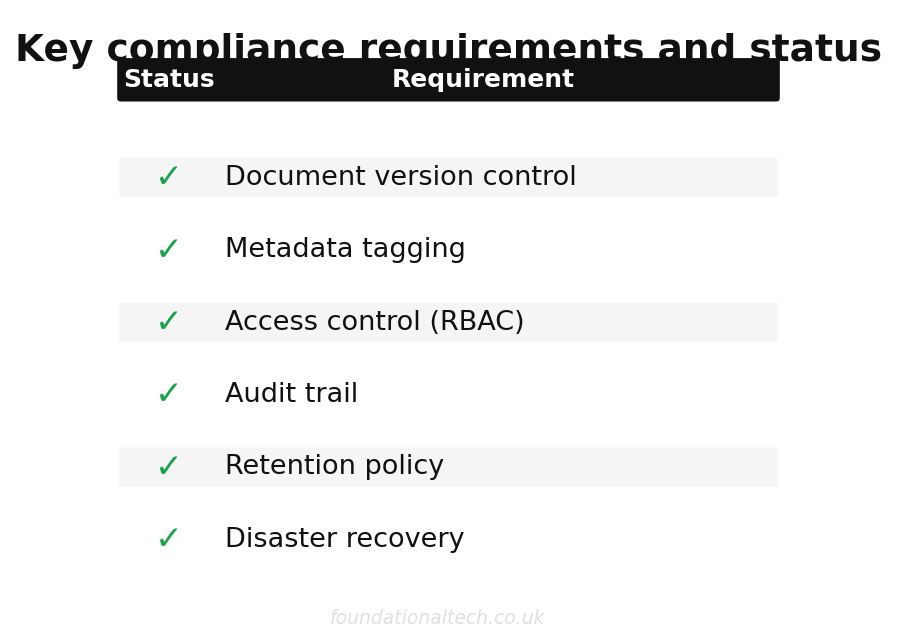
The SRA Code of Conduct 2019 is explicit on this point. Paragraph 4.2 requires solicitors to "maintain proper records of your practice," and the SRA's supporting guidance makes clear that this includes client communications. If a regulator audits your firm and finds that critical correspondence is trapped in individual mailboxes with no centralised record, that is a compliance failure — not a technology preference.
£14,000/yr
potential cost of a single eDiscovery failure for a 20-user firm
The retention requirements compound the problem. The SRA expects firms to retain matter files for a minimum of six years after the matter closes, and many firms adopt a seven-year policy to align with HMRC record-keeping requirements. If your email retention strategy is "it sits in the partner's inbox until they delete it or leave," you have no strategy at all.
Then there is GDPR. When a data subject submits a Subject Access Request (SAR), your firm has 30 calendar days to identify and produce all personal data you hold about that individual. That includes every email sent to or received from them, every email that mentions them, and every attachment containing their data. If those emails are scattered across twenty individual Outlook inboxes with no centralised index, responding to a SAR within the legal timeframe is practically impossible without either heroic manual effort or an admission that you cannot fully comply.
I have seen firms spend upwards of £8,000 in fee-earner time responding to a single SAR because they had to manually search each partner's mailbox individually. With a properly architected email management system, the same search takes under five minutes.
The Microsoft 365 Foundation: Choosing the Right Tier
Every automated email management system starts with the email server, and for UK law firms in 2026, that means Microsoft 365. The question is which tier.
Microsoft offers three main business tiers relevant to legal practices:
- Business Basic — £4.60/user/month: Web and mobile versions of Office apps, 50GB mailbox, 1TB OneDrive storage. Adequate for very small firms that only need basic email, but lacks the compliance features law firms require.
- Business Standard — £9.40/user/month: Adds desktop Office apps and more collaboration features. Still insufficient for firms with regulatory obligations.
- Enterprise E3 — £27.50/user/month: This is the tier most law firms actually need. It includes In-Place Archive mailboxes (unlimited archive storage), Litigation Hold (preserves deleted items and original versions of modified items), Data Loss Prevention policies, Advanced Audit logging, and eDiscovery tools. Without these features, your email server cannot support the retention and compliance workflows that legal regulators expect.
The price difference between Business Basic and E3 is significant — for a 20-person firm, that is £550/month versus £92/month — but the E3 compliance features are not optional for regulated legal practices. Litigation Hold alone justifies the cost: it ensures that even if a solicitor deletes an email, the original is preserved in a hidden folder that only administrators can access. When opposing counsel issues a disclosure request, you need that capability.
NetDocuments ndMail: The Predictive Filing Engine
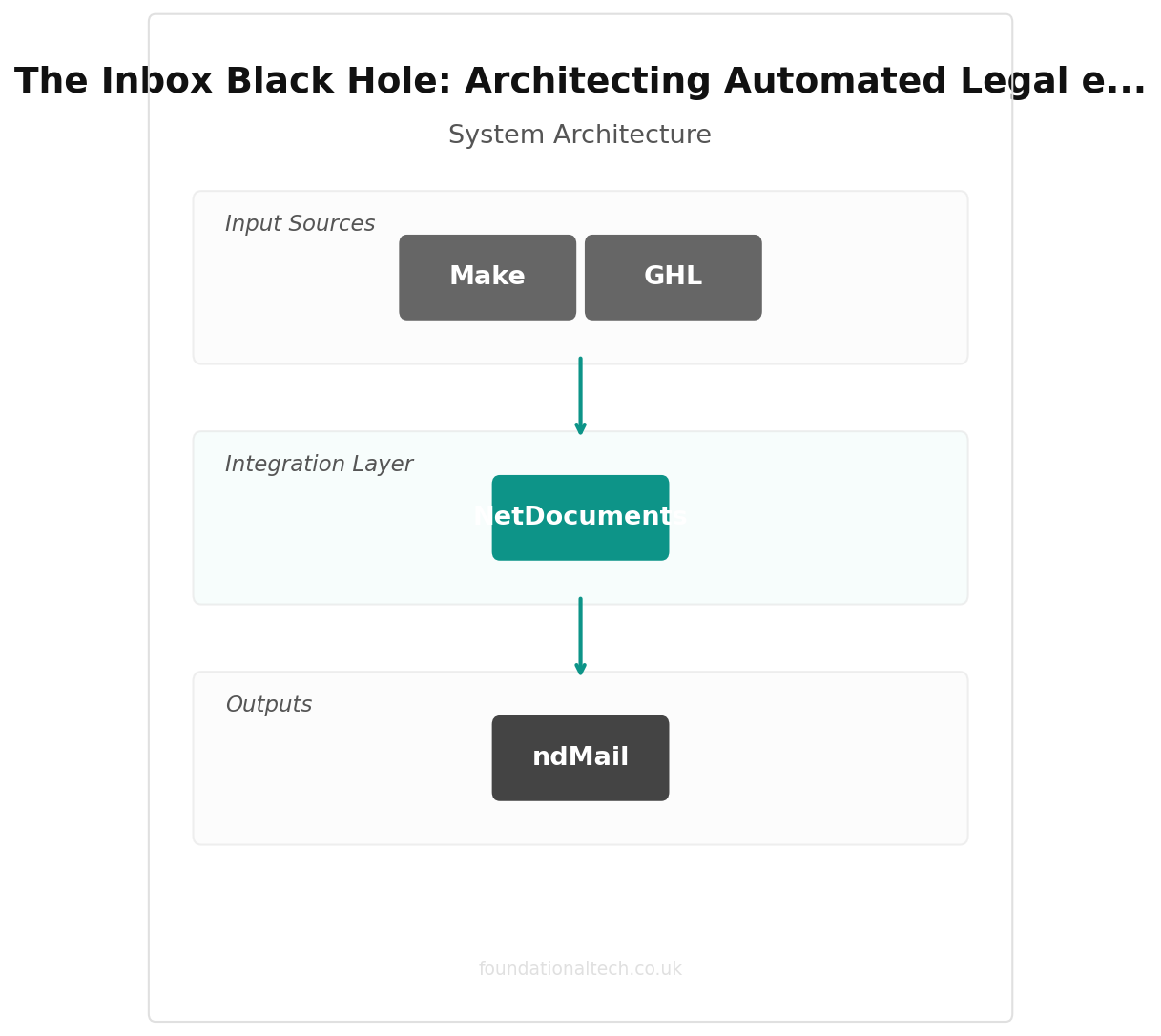
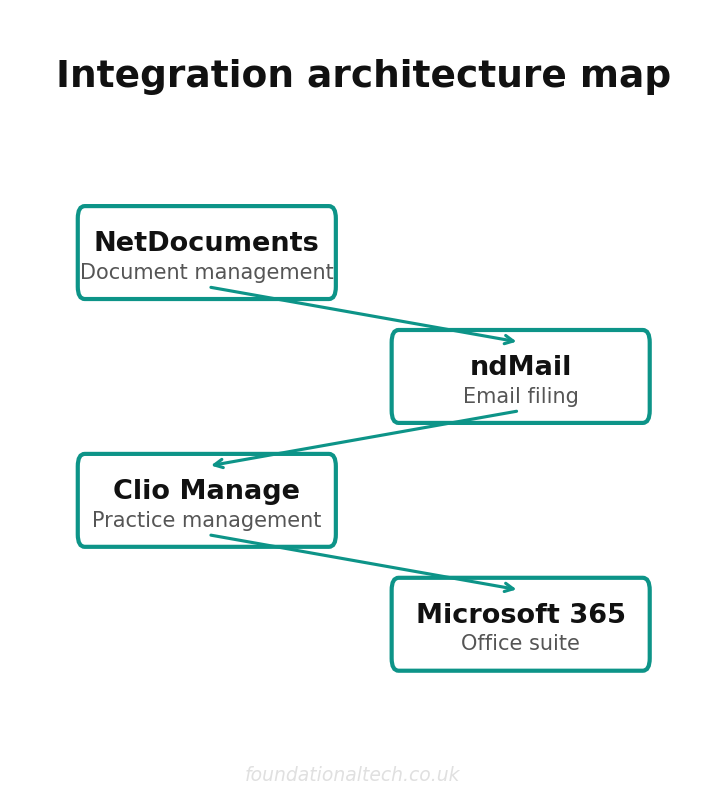
Microsoft 365 provides the email infrastructure. NetDocuments provides the document management system (DMS) where those emails need to end up. The bridge between them is ndMail, NetDocuments' predictive email filing add-in for Outlook.
Here is how ndMail's predictive filing algorithm actually works. When a solicitor receives an email, ndMail analyses the metadata — sender address, recipient list, subject line, attachment names — and cross-references it against the firm's existing NetDocuments workspaces. If the sender's email domain matches a known client, and the subject line contains keywords associated with an active matter, ndMail suggests the correct workspace with a confidence score.
The algorithm improves over time. During the first two to four weeks of deployment (the training period), ndMail observes where users manually file their emails and builds a model of each solicitor's filing patterns. After this training period, prediction accuracy typically reaches 85-92% for firms with well-structured workspace naming conventions. For firms with inconsistent workspace naming, accuracy tends to settle around 70-80%.
ndMail operates in two modes:
- Suggested filing: The add-in highlights the recommended workspace in the Outlook sidebar. The solicitor reviews the suggestion and clicks "File" to confirm. This is the mode most firms start with during the training period.
- Automatic filing: When the confidence score exceeds a configurable threshold (typically set at 90%), ndMail files the email automatically without user intervention. The solicitor sees a notification that the email has been filed but does not need to take any action. This is the target state for mature deployments.
When an email is filed, ndMail captures the full email including headers, body text, and all attachments. Attachments are stored as separate documents within the workspace, linked back to the parent email. This means a PDF contract attached to an email can be found by searching for the contract name directly — you do not need to remember which email it was attached to.
NetDocuments Pricing
The NetDocuments platform is priced per user per month. For UK firms, the typical cost structure is:
- NetDocuments base platform: approximately £40/user/month. This includes the core DMS functionality — workspace management, document storage, version control, full-text search, and the web and desktop applications.
- ndMail add-on: approximately £15-25/user/month, depending on contract terms and firm size. Larger firms typically negotiate toward the lower end of that range.
For a 20-user firm, the NetDocuments stack costs between £1,100 and £1,300 per month. That is a meaningful investment, but it needs to be weighed against the cost of a single compliance failure or the £14,000 my Manchester client spent on a departing partner's inbox extraction.
iManage: The Alternative Platform
NetDocuments is not the only option. iManage is the other major DMS platform used by UK law firms, and it deserves consideration in any platform evaluation.
iManage Cloud is priced at approximately £35-50/user/month for the base platform, with iManage Filing (their email capture equivalent) included in most enterprise contracts or available as an add-on. iManage's filing tool works similarly to ndMail — it predicts the correct workspace based on email metadata and filing history — but the user interface is somewhat different, with a heavier emphasis on drag-and-drop filing from the Outlook sidebar.
The choice between NetDocuments and iManage often comes down to firm culture and existing infrastructure. iManage has historically been stronger with larger firms (50+ users) and has deeper integrations with on-premises infrastructure for firms that have not fully migrated to the cloud. NetDocuments is cloud-native and tends to appeal to firms that want a fully managed SaaS solution without any on-premises components.
Both platforms are SOC 2 Type II certified and meet the data residency requirements that UK firms need for SRA compliance. For a deeper dive into how NetDocuments handles document lifecycle beyond email, see our guide to automating legal document management. Both offer UK-based data centres (NetDocuments uses Azure UK South; iManage offers UK hosting through their managed cloud).
The Real-World Pipeline: From Inbox to Archive
Let me walk through the complete lifecycle of an email in a properly architected system, because the detail matters.
- Inbound email arrives: A client emails a signed PDF contract to an associate at the firm. The email hits the Microsoft 365 Exchange server and lands in the associate's Outlook inbox. The E3 Litigation Hold policy immediately creates a preserved copy in the associate's hidden archive — this copy cannot be deleted or modified by anyone, including the associate.
- ndMail prediction triggers: Within seconds, the ndMail add-in analyses the email. It recognises the sender's domain as belonging to an active client, matches the subject line keywords to the "Project Alpha — M&A" workspace, and presents a filing suggestion with 94% confidence.
- Filing and attachment handling: The associate clicks "File." ndMail extracts the email and the attached PDF as separate items. The email is stored as an .msg file in the workspace's "Correspondence" folder. The PDF is stored in the "Contracts" subfolder with automatic version numbering. Both items are tagged with metadata: date received, sender, matter number, document type.
- Duplicate detection: If the same PDF was previously filed by another team member (perhaps the partner was CC'd on the same email), NetDocuments' duplicate detection engine identifies the match and prompts the user to link to the existing document rather than creating a duplicate. This prevents the workspace from filling up with identical copies of the same contract.
- Global search availability: The email and attachment are immediately indexed and available via NetDocuments' full-text search. Five years later, during an audit, the managing partner searches "Project Alpha signed contract" and retrieves the exact document in under three seconds — regardless of whether the original associate still works at the firm.
Email Retention Policies
Filing emails is only half the problem. You also need a defensible retention policy that specifies how long emails are kept and when they are destroyed.
For UK law firms, the standard retention periods are:
- Active matters: All correspondence retained for the duration of the matter, with no automatic deletion.
- Closed matters: SRA guidance requires retention for a minimum of six years post-matter closure. Most firms adopt seven years to align with HMRC requirements and provide a safety margin.
- Specific matter types: Conveyancing files are typically retained for fifteen years (due to the limitation period for latent defects). Wills and probate files are retained indefinitely or until the testator's estate is fully administered. Personal injury files involving minors are retained until the claimant reaches 21 plus the standard retention period.
NetDocuments supports automated retention policies at the workspace level. When a matter is marked as closed, a retention clock starts. When the retention period expires, the workspace and all its contents (including filed emails) are flagged for review and destruction. A compliance officer reviews the flagged items before deletion is executed — nothing is destroyed automatically without human approval.
Migration: Moving from Legacy Systems
Many firms I work with are not starting from scratch. They are migrating from legacy document management systems — Worldox, OpenText eDOCS, or even shared network drives — and the migration itself is a significant project.
A typical migration for a 20-person firm follows this timeline:
- Weeks 1-2: Discovery and planning. Audit the existing DMS structure, identify workspace naming conventions, map user permissions, and define the migration scope (are you migrating everything, or only active and recently closed matters?).
- Weeks 3-4: Platform configuration. Set up the NetDocuments environment, create the workspace template structure, configure security groups, and deploy the ndMail add-in to a pilot group of 3-5 users.
- Weeks 5-8: Data migration. Use NetDocuments' migration tools or a third-party service like Consilio or Lighthouse to transfer documents from the legacy system. This is the most time-intensive phase — a firm with 500,000 documents typically takes three to four weeks of active migration work.
- Weeks 9-10: User training and parallel running. Both the old and new systems run simultaneously. Users file new emails into NetDocuments while still having read access to the legacy system for historical lookups.
- Weeks 11-12: Legacy system decommission. The old DMS is set to read-only, then archived. Full cutover to NetDocuments for all users.
The total timeline is typically 8-12 weeks for a 20-person firm, though firms with particularly large or poorly organised legacy systems can take longer.
What It Costs: Full Stack Breakdown for a 20-User Firm
Here is the complete monthly cost for a 20-person law firm running the full automated email management stack:
- Microsoft 365 E3: £27.50 x 20 users = £550/month
- NetDocuments base platform: £40 x 20 users = £800/month
- ndMail add-on: £20 x 20 users = £400/month (mid-range estimate)
Total monthly cost: £1,750/month (£21,000/year).
That works out to £87.50 per user per month for a fully compliant, automated email management and document filing system. For context, a single SRA compliance investigation can cost a firm £20,000-50,000 in legal fees and management time. A single botched SAR response can result in an ICO fine of up to £17.5 million under UK GDPR. The £21,000 annual investment is not a technology expense — it is an insurance policy.
If your firm is still relying on individual solicitors to manually drag emails into folders — or worse, not filing them at all — the question is not whether you can afford to implement automated email management (see also how to close the work-to-cash gap with automated legal billing). The question is whether you can afford not to.