Key Takeaway
Automate receipt capture and bookkeeping for UK trades with Dext and Xero. Full data pipeline setup guide for 2026.
Last month I sat across from the owner of a six-person electrical firm in Birmingham. He slid a Tesco bag across the table — crumpled receipts, a few folded invoices, and a petrol station loyalty card that had somehow made it into the mix. "That's January through March," he said. His bookkeeper would spend two days typing every line into a spreadsheet before anything touched his accounting software. By the time his accountant reviewed the numbers, the quarter was over. I have seen this scene hundreds of times. It is the single biggest bottleneck in UK trade-business accounting, and it is entirely fixable.
The "History Teacher" Problem
Most accountants working with trade clients are, in practice, historians. They receive data weeks or months after transactions occur, type it into Xero or QuickBooks, reconcile bank feeds against faded receipts, and produce accounts that describe what already happened. There is no opportunity to advise because the numbers arrive too late to influence any decision.
This is not a technology problem — the tools have existed for years. It is a workflow problem. The typical sole-trader plumber or electrician has no system for capturing costs as they happen. Receipts live in van gloveboxes, jacket pockets, and email inboxes. Advisory revenue — the higher-margin work that every firm wants — never materialises because the underlying data is always stale.
Why Real-Time Books Matter More Than Ever: MTD in 2026
HMRC's Making Tax Digital for Income Tax Self Assessment (MTD for ITSA) is now live for sole traders and landlords with income above £50,000, with the £30,000 threshold following in April 2027. Quarterly updates must be submitted digitally through MTD-compatible software. You cannot do that if your client hands you a carrier bag of receipts every six months.
MTD is the regulatory forcing function that makes continuous data capture non-negotiable. Firms that have already built receipt-to-ledger pipelines handle MTD submissions in minutes. Those still relying on manual entry are staring at a capacity crisis that worsens as the income thresholds drop.
The firms that treat MTD as just another filing obligation will drown in low-value processing work. The firms that use it as a reason to automate will free up capacity for advisory — and charge accordingly.
The Dext Pipeline: How Receipt Capture Actually Works
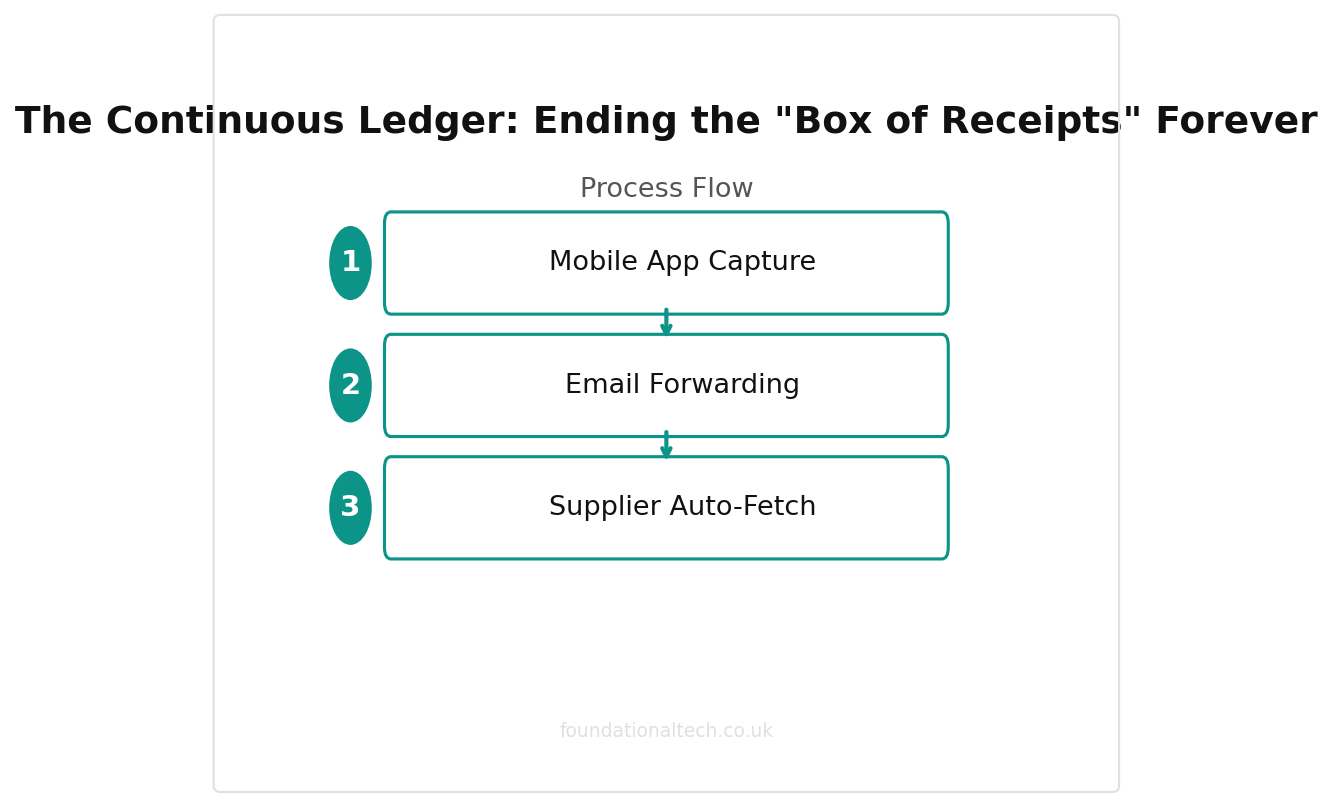
Dext Prepare (formerly Receipt Bank) is the tool I recommend most often for trade-business practices, and the reason is simple: it meets clients where they are. There are three primary ingestion routes, and a good implementation uses all of them.
1. Mobile App Capture
Your client photographs a receipt on their phone immediately after a purchase. Dext's OCR engine extracts the supplier name, date, total, VAT amount, and suggests a category. The image is stored as the source document, satisfying HMRC's digital record-keeping requirement. Accuracy on clear receipts runs above 95%, though thermal till receipts from Screwfix or Toolstation occasionally need a manual check on the VAT split.
2. Email Forwarding
Every Dext account has a unique email address (e.g., clientname@dext.cc). Suppliers who send PDF invoices — Travis Perkins trade accounts, Jewson, Howdens — can be set to auto-forward to this address. Dext extracts the data without the client lifting a finger. For trade businesses with regular supplier accounts, this single feature eliminates 40-60% of manual data entry.
3. Supplier Auto-Fetch
Dext connects directly to online supplier portals and pulls invoices automatically. This works well with utility companies, mobile providers, and larger merchant accounts. Once configured, documents appear in the Dext queue without any client action.
How the AI Extraction Works
Dext uses OCR and machine learning to identify the supplier from its database of known formats, extract line items, and match VAT rates (20% standard, 5% reduced, zero-rated, exempt). It learns from corrections over time. For a new client, expect to correct perhaps one in ten items during the first month. By month three, the correction rate drops to one in twenty or fewer.
The extracted data publishes directly into Xero as draft bills or expense claims, with the source document attached. Your bookkeeper reviews and approves rather than types and files. That distinction — reviewer versus typist — is the entire shift.
| Method | Best For | Speed |
|---|---|---|
| Mobile app photo | Tradespeople on site | Instant |
| Email forwarding | Digital invoices | 1-2 minutes |
| Supplier auto-fetch | Recurring suppliers | Automatic |
The Xero Side: Bank Feeds, Matching, and Rules
Dext handles purchases and expenses. Xero's bank feeds handle the other half. Most UK business bank accounts — Barclays, NatWest, Lloyds, Starling, Tide — provide automatic daily feeds into Xero. Every transaction appears in the reconciliation screen, waiting to be matched.
Auto-Matching and Bank Rules
When a Dext-published bill matches a bank feed transaction, Xero often pairs them automatically. For recurring transactions that Dext does not capture — direct debits for insurance, lease payments, bank charges — you set up bank rules. A bank rule tells Xero: "Every time you see a payment to 'SIMPLY BUSINESS', categorise it to Insurance and mark it as reconciled." For a typical trade client, 15-20 well-configured bank rules will auto-categorise 70-80% of bank feed items.
This is where many implementations fall short. Accountants set up Dext and Xero but never build comprehensive bank rules. The result is a queue of unmatched transactions every month. Get the rules right at onboarding and you eliminate that queue permanently.
Query Automation: Handling the Unknowns
Even with Dext and bank rules, some transactions will need client input. The old method — emailing a spreadsheet of queries — is slow and creates version-control problems. Better options exist:
- Glasscubes (from £45/month per firm) — a client portal where you post queries with screenshots and the client responds in-browser. Tracks outstanding items and sends automatic reminders.
- Xavier Analytics (now part of Dext) — flags anomalies in Xero data: duplicate contacts, multi-coded suppliers, old outstanding invoices. It catches errors that manual review misses.
- Xero's "Ask" feature — allows you to tag a transaction with a question and notify the client directly within Xero. Lightweight but effective for simple queries.
Push queries through a tracked channel, set deadlines, and automate follow-up. Never let an uncategorised transaction sit silently in the ledger for weeks.
99%+
Dext AI accuracy rate for receipt data extraction — eliminating manual data entry
Building the Zero-Touch Month: A Step-by-Step Implementation
Here is the workflow I use when onboarding a new trade client. The entire setup takes roughly three hours, spread across two weeks.
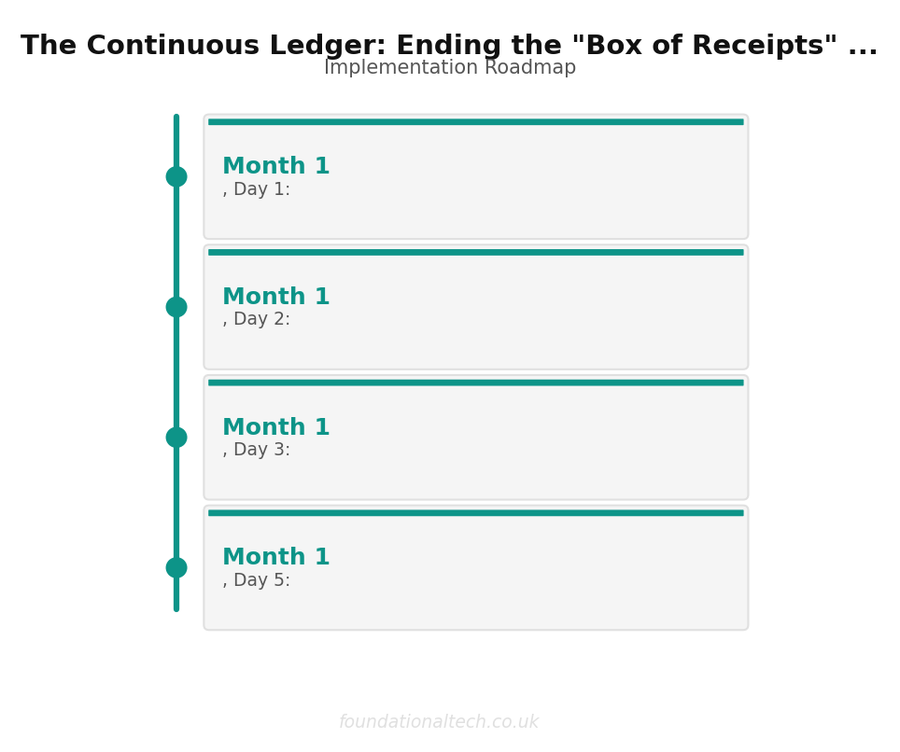
- Week 1, Day 1: Set up the client's Dext account and configure the unique email address. Install the Dext app on the client's phone during a 15-minute video call.
- Week 1, Day 2: Connect Dext to Xero. Map categories to the client's chart of accounts. Set the default VAT rate and payment method.
- Week 1, Day 3: Set up email forwarding for the client's top five suppliers by volume. Walk them through forwarding a sample invoice to their Dext email.
- Week 1, Day 5: Verify Xero bank feeds are active. Build bank rules for all recurring direct debits, standing orders, and regular payments visible in the last three months of statements.
- Week 2: Monitor the Dext queue daily. Correct extraction errors to train the AI. Add bank rules for recurring transactions you missed. By week two's end, 80%+ of transactions should categorise without intervention.
From month two onward, the bookkeeper's role shifts to a weekly 20-minute review: approve Dext items, reconcile the bank feed, and post any queries. A client that previously required four hours of monthly processing now requires one.
What It Costs: Monthly Breakdown for a 50-Client Firm
A realistic monthly cost breakdown for a 50-client trade-business practice:
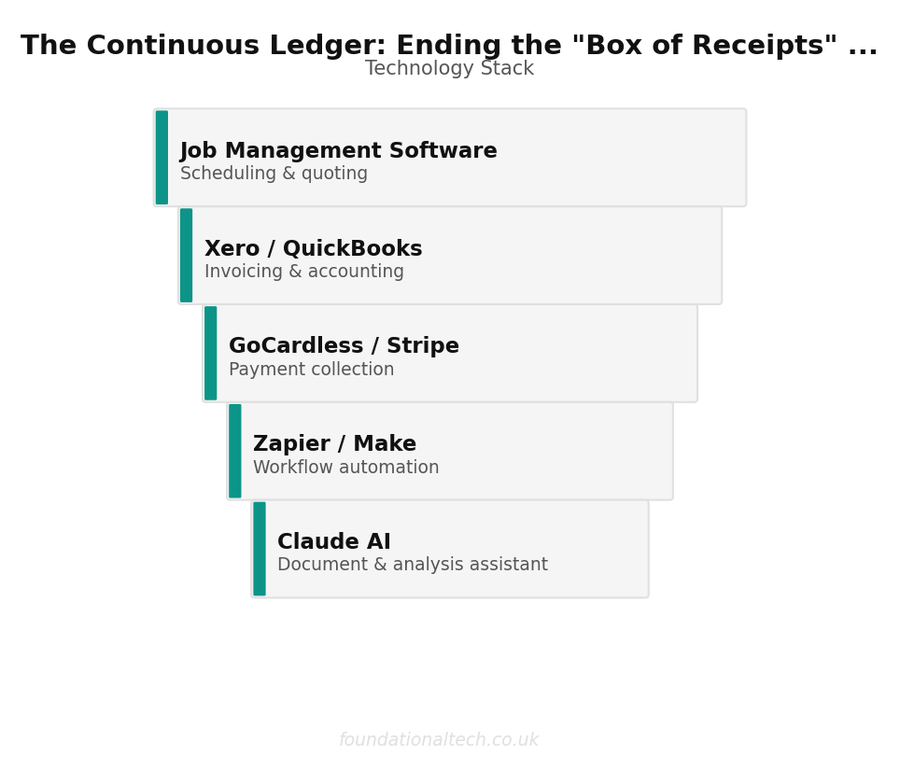
- Dext Prepare (firm-level plan): ~£150/month for multi-client access
- Xero Partner Programme: wholesale pricing 50-60% off retail — a mix of Starter (£15/month) and Standard (£33/month) plans averages ~£12-15/month per client at partner rates, roughly £600-£750/month total
- Glasscubes or equivalent query portal: ~£45-£75/month
- GoCardless (for collecting monthly fees by direct debit): 1% + 20p per transaction — on a £150/month average fee, that is £1.70 per client, or £85/month total
Total platform cost: approximately £880-£1,060/month, or £17-£21 per client per month.
If automation reduces processing from four hours to one hour per client per month, that is 150 hours saved across 50 clients. At £18/hour bookkeeper cost, that is £2,700/month in recovered capacity — capacity you can redeploy to advisory work billed at £100-£150/hour.
Real-World Scenario: The Plumber's Van
Dave is a self-employed plumber in Leeds. On Tuesday morning, he buys a second-hand van for £8,500 plus VAT (£10,200 total) from a dealer. He photographs the invoice with the Dext app. Dext extracts the supplier name, the net amount, the VAT at £1,700, and suggests the category "Motor Vehicles." The item publishes into Xero as a draft bill within minutes.
On Wednesday, the payment clears Dave's Barclays account. The bank feed picks it up in Xero. The bookkeeper sees the Dext-published bill and the matching bank transaction, confirms with one click, and the van is recorded as a fixed asset.
On Thursday, the accountant — who has a Xero dashboard open — notices the capital purchase and messages Dave: "Saw the new van. We should discuss whether to claim Annual Investment Allowance this year or spread the deduction — and whether the simplified mileage rate makes more sense. Fifteen minutes on Friday?"
That advisory call — which results in a genuine tax saving — only happened because the data arrived in real time. In the old world, the accountant would have found the van invoice six months later in a bag of receipts, long after the tax-planning window had closed.
Common Mistakes That Undermine the Pipeline
- Not building bank rules at onboarding. Without rules, you still have unmatched items every month. Spend the hour upfront.
- Not training the client. A 15-minute onboarding call is essential. Without it, receipts still arrive in carrier bags.
- Ignoring Dext extraction errors in month one. Every correction trains the AI. Skip them and accuracy never improves.
- Using Xero's "cash coding" instead of proper matching. Cash coding creates transactions without source documents — a problem for MTD compliance and VAT inspections.
- Not reviewing Aged Payables. Dext-published bills that never match a bank payment indicate a data problem or a genuine unpaid invoice. Check monthly.
The Shift from Compliance to Advisory
When your books are three months out of date, the only conversation you can have is about what happened. When your books are three days out of date, you can talk about what is happening — and what should happen next.
This is the real return on a continuous ledger. It is not the time saved on data entry, although that pays for the software several times over. It is the ability to offer advisory services — tax planning, cash flow forecasting, pricing reviews, quarterly management accounts — that clients will pay £200-£500/month for on top of compliance fees.
Related guides: If you found this useful, see our guide on The Compliance Engine: De-Risking the Modern Law Firm with Automated Architecture and The Zero-Touch Intake: Automating Legal Client Acquisition & AML Compliance.
A practice running 50 trade clients on automated pipelines, with half on a basic advisory package at £250/month, adds £75,000 in annual recurring revenue. That is the commercial case for killing the box of receipts, and it starts with a phone, an app, and a fifteen-minute onboarding call.
The box of receipts is not a client problem — it is a systems problem. Fix the system and the box disappears.
For a comparison of the platforms that sit at the centre of this pipeline, see best accounting practice management software UK.