Key Takeaway
Automate FENSA, PAS 24 and compliance for UK window & door installers. Step-by-step back-office guide for 2026.
An invoice for £14,200 bounces back from a housing developer’s site office three weeks after ten units’ worth of composite front doors went in. Not disputed on price, not disputed on workmanship — held, because the handover pack doesn’t include PAS 24 test certificates for the door sets, and Building Control won’t sign off the plots without them. The certificates exist. The manufacturer has them on file. But nobody attached them to the order when it was placed. Now getting them released is a phone call queued behind a dozen other installers chasing the same paperwork from the same overstretched technical department. Three weeks of a five-figure invoice, unpaid, for a document that should have been filed automatically the day the doors were ordered.
That’s the back-office problem in this trade in miniature: the money isn’t lost to bad debt or slow-paying customers. It’s parked, sometimes for weeks, behind paperwork that was always going to be needed and never had an owner.
Two Jobs, Two Completely Different Paper Trails
A window and door installer working across both retail replacement jobs and new-build or commercial contracts is effectively running two separate compliance regimes inside one business. Treating them as the same admin task is where things go missing. Retail replacement work on an existing dwelling is self-certified through FENSA or CERTASS — you notify, you don’t wait for a council inspector. New-build and commercial work goes through the developer’s own Building Control route instead, and what they need from you isn’t a notification — it’s proof. That means PAS 24 (or equivalent, such as LPS 2081) security test certificates and Window Energy Rating or U-value documentation for the exact products supplied, handed over with the invoice, not chased after it. Get the two trails mixed up — treat a commercial handover pack like a retail notification, or vice versa — and one of two things happens. A domestic customer’s sale stalls years later because nothing was ever logged, or a developer’s payment stalls now because nothing was ever attached.
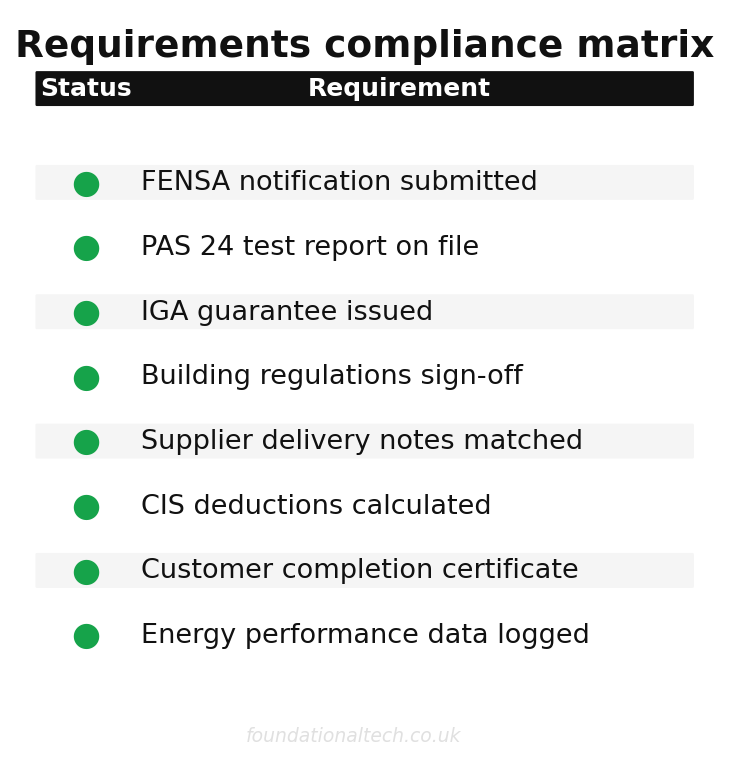
| Status | Requirement |
|---|---|
| ✓ | FENSA notification submitted |
| ✓ | PAS 24 test report on file |
| ✓ | IGA guarantee issued |
| ✓ | Building regulations sign-off |
| ✓ | Supplier delivery notes matched |
| ✓ | CIS deductions calculated |
| ✓ | Customer completion certificate |
| ✓ | Energy performance data logged |

The Notification Clock Nobody Puts in the Diary
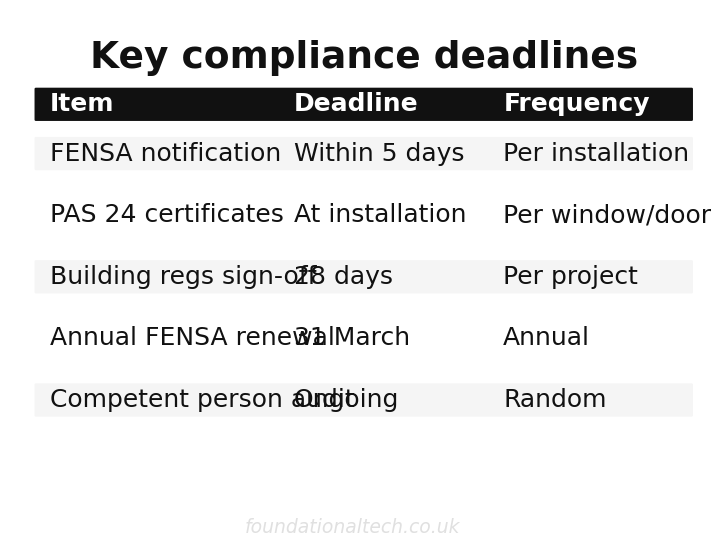
FENSA and CERTASS both require the job to be registered within 21 days of completion. The obligation doesn’t feel urgent in the way an unpaid invoice does — nothing stops moving if you miss it. Then a solicitor calls about a house sale two or three years later, and the certificate isn’t there. The fix is to stop treating notification as a task and start treating it as a status. The moment a job is marked complete in your quoting or job-management system — Framepoint, Glazepoint or Pricepoint, whichever you’re running — that should trigger the registration automatically. It shouldn’t sit on a to-do list next to next Tuesday’s survey. For a firm doing around 40 jobs a year, FENSA’s running costs land at a little under £550 a year plus VAT across registration, notifications and the required assessment visits; the cost isn’t the issue. The issue is that a 21-day window with no visible urgency is exactly the kind of deadline that gets missed by firms without a system forcing the trigger.
21 days
FENSA notification deadline after installation — automated alerts prevent missed filings
The Guarantee That Has to Exist Before the Certificate Does
Here’s the detail that catches installers who think they’ve covered themselves once the notification’s filed: FENSA won’t actually issue a certificate at all unless the installation is backed by an Insurance Backed Guarantee. Installsure, FENSA’s recommended IBG provider, covers the installation for ten years from the fit date. That means the guarantee registration isn’t a nice-to-have you get round to — it’s a precondition of the certificate existing. Build it into the same completion-day trigger as the notification itself: job marked complete, IBG registered, notification submitted, all three logged against the customer record in one action. That’s better than three separate steps that depend on someone remembering the second and third after the first is done. A guarantee that was never registered is a guarantee that doesn’t exist the day a customer needs it, and by then the job, and often the fitter who did it, is long gone.
Four Suppliers, One Job, One True Cost
Most trades in this series buy from a single merchant account and reconcile one stream of receipts. Glazing rarely works that way. A single order typically draws from four separate suppliers. The fabricator supplies the frames themselves; an ironmongery supplier provides handles, hinges and locking mechanisms. A separate glass supplier covers toughened or obscure units that aren’t included in the fabricator’s price, and a trade counter rounds it out with sealant, trims and general consumables. Match those four invoices to the wrong job, or fail to match a £40 sealant receipt to any job at all, and the margin you think you made on an order is a guess. Not a number you can rely on.
Dext solves this at roughly £24 a month plus VAT, capturing every supplier invoice and receipt by photo and pushing the line-item data through automatically. But the setting that actually matters here is job-level cost-centre tagging. Every one of those four supplier invoices needs a job reference attached at the point of capture, not reconciled after the fact from memory. Set that up once — a consistent job-numbering convention that fabricator, ironmongery, glass and trade-counter receipts can all be tagged against. Then Xero can report true margin per order, rather than an average across the month that smooths over the jobs that quietly lost money.
One order, four invoices, in practice: a £6,400 bifold door job quoted at a target margin of 32%. The fabricator invoice lands first, at £2,850. Two weeks later, an ironmongery invoice for handles and a multi-point locking mechanism arrives from a separate supplier, tagged to the same job reference: £310. A toughened-glass unit that didn’t fit inside the fabricator’s standard spec comes from a third supplier: £185. Sealant, foam and trims from the trade counter, bought on the fitter’s card the morning of install: £42. Untagged and left to memory, those last two — £185 and £42 — are exactly the kind of small, scattered receipts that get missed at year end. Quietly, they turn a job with a genuine 32% margin into one that looks, on paper, like it made closer to 29%. Multiply that gap across forty jobs a year and it’s the difference between a set of accounts you trust and one you’re guessing at.
The CIS Question That Only Applies to Half Your Work
Most retail replacement work for a homeowner has nothing to do with the Construction Industry Scheme. CIS applies to construction operations under a contractor-subcontractor relationship, and a direct sale to a homeowner replacing their own windows isn’t one. Take on subcontract fitting for a main contractor on a new-build site, though, and CIS applies immediately. The contractor deducts 20% from your labour if you’re CIS-registered, 30% if you’re not, before you see a penny of it. The trap isn’t the deduction itself — it’s running both types of job through the same undifferentiated invoicing process. Months later, a chunk of “unpaid” invoices turn out to have been paid correctly all along, minus a deduction nobody flagged at the time.
A firm doing three or four new-build plots a year alongside a steady run of retail replacements is the common case, and it’s exactly where this gets missed. An installer invoices a developer for £4,500 of labour on a subcontract basis. The remittance comes back at £3,600, because the standard 20% deduction was applied, and the £900 gets logged as a short payment to chase — rather than the correct CIS deduction it actually was. Add a single field at the quoting stage — retail or subcontract — and let that flag route the job through the correct invoicing template and CIS treatment from the start. It’s a smaller admin task than it sounds, and it only needs solving once.
Three Weeks to a Clean Handover Pack
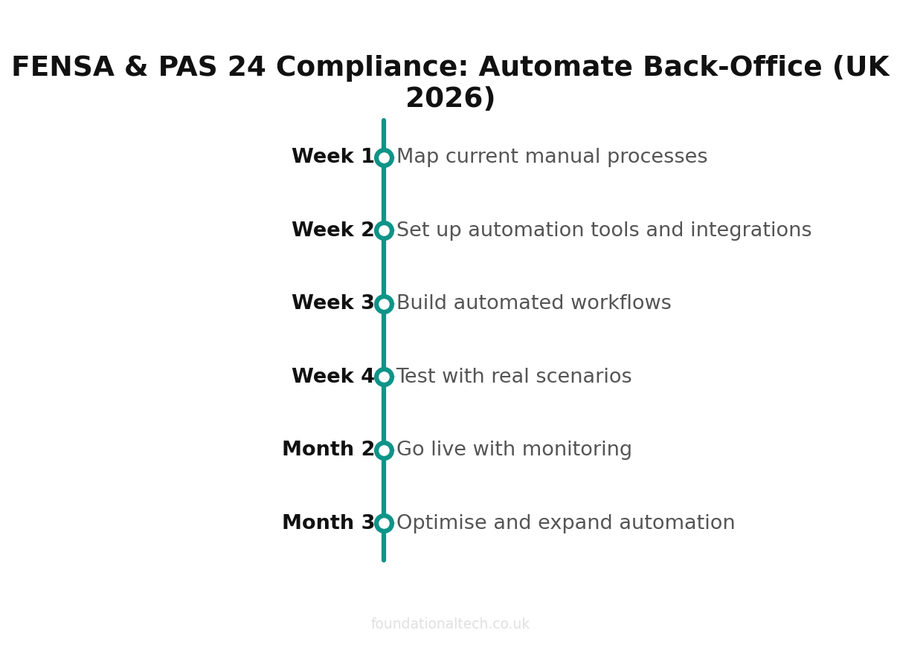
Week one: Set the completion trigger. Configure your job-management system so marking a job “complete” fires three actions at once: FENSA or CERTASS notification, IBG registration through Installsure, and a Dext job-reference prompt for any outstanding supplier receipts. Audit the last twelve months of completed jobs and back-fill any missing notifications or guarantee registrations now, while they’re still findable.
Week two: Rebuild your job-numbering convention so every supplier — fabricator, ironmongery, glass, trade counter — tags receipts against the same reference. Reconfigure Dext’s categorisation rules around that convention and run a test batch across one live order to confirm all four suppliers’ costs land against the right job in Xero.
Week three: Add the retail-or-subcontract flag to your quoting template and route new orders accordingly. For any live subcontract jobs already running, confirm CIS registration status and check the last three months of contractor remittances against what should actually have been deducted.
By the end of week three, every completed job carries its own certificate, its own guarantee registration and its own true cost. No more three separate admin tasks depending on someone remembering to do them in order.
Has a commercial or new-build invoice of yours ever been held up because a certificate wasn’t in the handover pack? How many weeks did it cost you before it was released?
Related: The Glazier Who Kept His FENSA Certificate in His Head.