Key Takeaway
Complete 2026 integration map for UK scaffolding contractors: Xero, GoCardless, The Scaffold Software connected. Data flow diagrams, sync settings.
A quantity surveyor rejected a £4,180 payment application last November because the extra-hire weeks it covered had already been invoiced separately, three weeks earlier, on a document carrying no application number and no valuation period. The money was owed. Nobody disputed the scaffold had been standing. But it had entered the client's system twice, through two different doors, and the QS did what QSs do: sent the whole application back and restarted the clock.
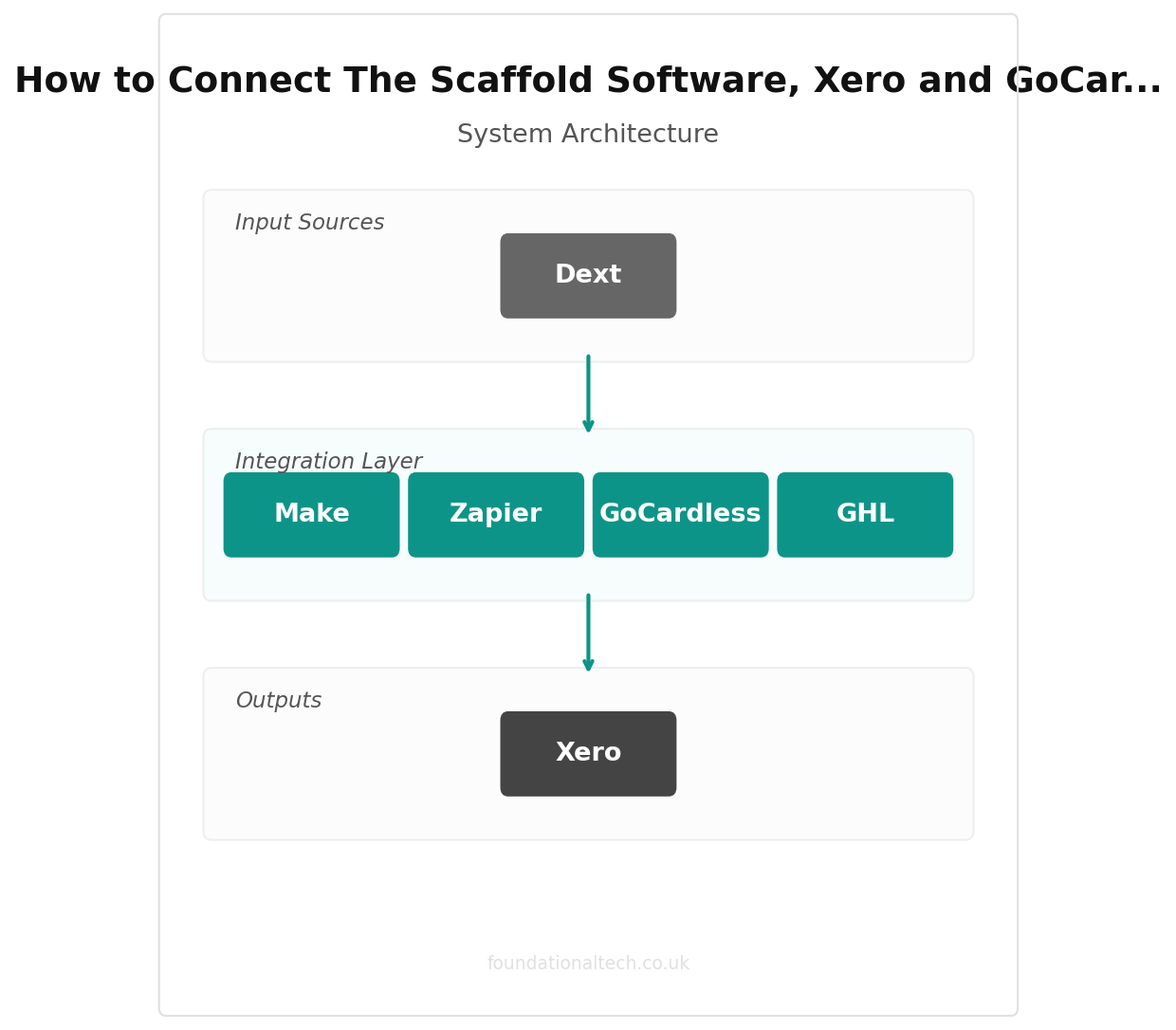
That is a wiring problem, not a software one — one job leaving your yard as three financial events that never meet again. Here is the wiring diagram — if you have not yet chosen your tools, start with our scaffolding software comparison. What follows covers what connects on its own, what quietly doesn't, and why a single scaffold can carry three different tax treatments.
Scaffolding Runs Two Businesses Through One Bank Account
Every other trade in this series wires up one revenue engine: quote the job, do the job, invoice the job. Scaffolding has two, turning at different speeds, and almost every integration failure in the trade traces back to a stack that only knows about one of them.
The first engine is contracting. Labour to erect, alter and dismantle: priced by elevation, paid against applications and valuations, subject to CIS, retention and the reverse charge.
The second is rental. Once the scaffold is tied in and handed over, you are a hire company. The structure earns weekly ground rent whether anyone visits site or not, and that rent runs until somebody formally off-hires. It needs subscription plumbing: recurring billing, an on-hire and off-hire register, and a stock ledger that knows which of your tube and boards are standing on which job.
Wire your stack for contracting only and the hire revenue leaks. Wire it for hire only and your applications fall apart. The joint between them is where most of the work is.
What Connects Without Paying Anyone Extra
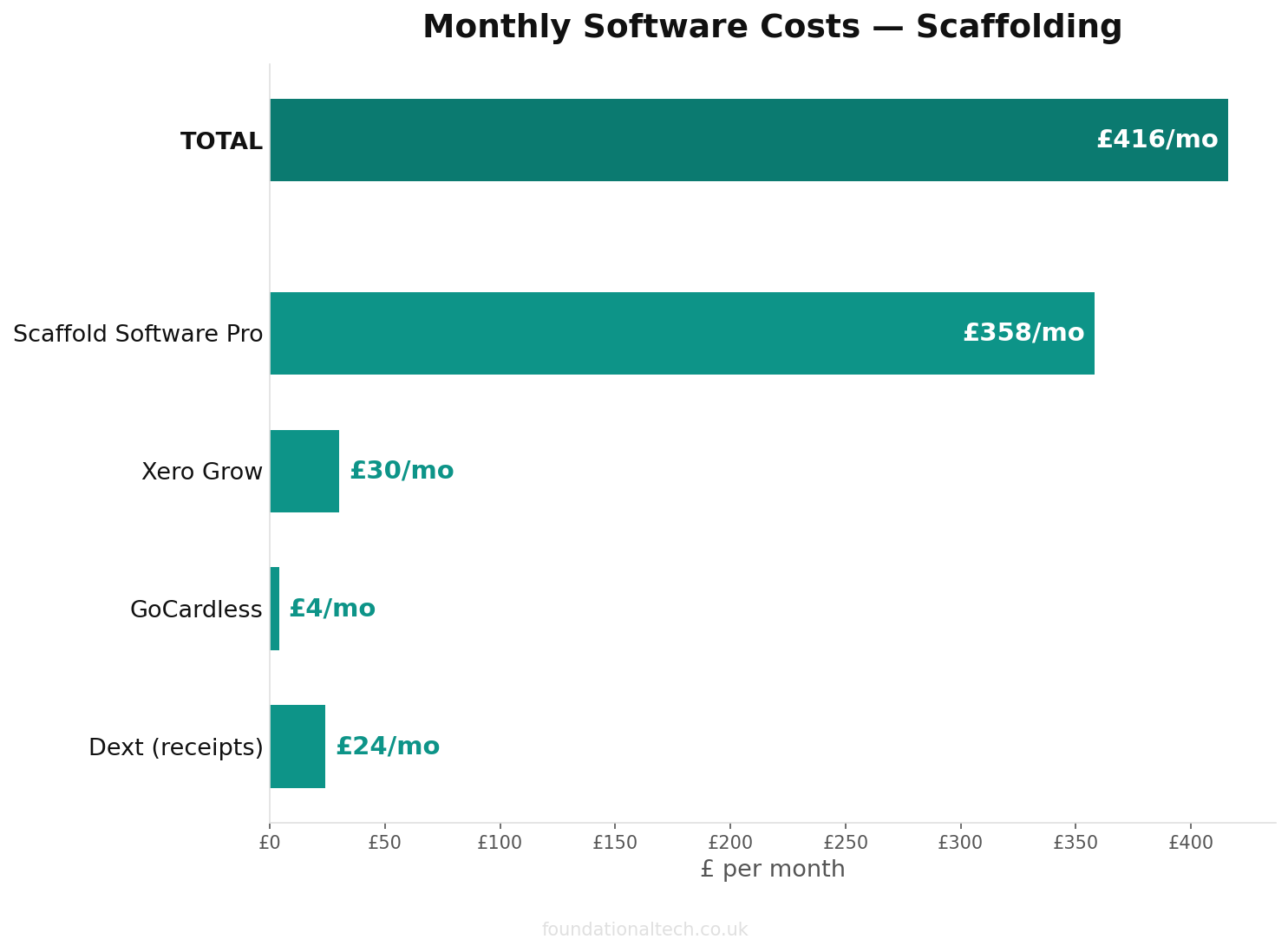
The Scaffold Software → Xero. This is the backbone, and it starts at the Pro tier. Basic (£150/month on the current Early Access rate, usually £231, two users, capped at 25 live jobs) has no accounting integration at all and no hire tracking. You download invoice PDFs and key them in. Pro (£358/month Early Access, usually £550, up to ten users, plus a one-off £488 onboarding fee) adds hire tracking and off-hire chasing. It also adds the Xero link that pushes a payment claim or invoice across as a draft. All prices exclude VAT.
Pin this down on the demo before you sign. The Pro plan card describes the Xero integration as sending invoices and syncing payments, but the full feature table lists accounting integration as "Export only" on Pro, with "Full sync" reserved for Enterprise. Ask to see a paid invoice update in both directions on a live account.
GoCardless → Xero. Native, through Xero's own payment services settings. It matters more in scaffolding than in most trades. Ground rent is the one predictable, repeating charge you raise: same client, same amount, same day each week or month, for as long as the scaffold stands. Direct Debit collects it without a conversation. Standard pricing is 1% + 20p per transaction capped at £4; the Advanced plan with automatic retries runs 1.25% + 20p capped at £5. On a £220 weekly hire charge, that is £2.40 to collect money you would otherwise be phoning about.
Domestic and small-commercial hire clients are the right candidates. Main contractors paying against applications are not — they pay when the valuation certifies, not when your mandate pulls.
Dext → Xero. Native. In scaffolding the receipts that matter are cross-hire invoices — the beams, props and stair towers you take from Generation, HSS or a neighbouring firm when a job needs kit you do not own. They arrive as PDFs, get forwarded to your Dext inbox, and land in Xero as coded bills with the paperwork attached. Cross-hire is the cost most likely to be forgotten when you work out what a job actually made. Roughly £24–£30/month.
Xero CIS and Xero Payroll. Both sit inside Xero rather than beside it — CIS deductions and the monthly return, payroll at £1.50 per employee per month on Grow and Comprehensive. Xero's UK plans are currently £15 (Ignite), £30 (Grow), £42 (Comprehensive) and £65 (Ultimate) per month excluding VAT, with a price rise confirmed for 1 September 2026.
TG20:21 eGuide. Not an integration at all. The NASC eGuide produces compliance sheets as PDFs — and AI can now draft site-specific RAMS to go alongside them — £75 per eGuide per year for members, £300 for non-members. No feed, no export, no connector. The sheet gets attached to the job record by hand, every time. Budget the two minutes rather than hunting for the automation that does not exist.
The API Ceiling Nobody Mentions Until You Try
Here is the constraint that shapes every scaffolding automation you will build. On The Scaffold Software, API and webhook access is an Enterprise feature. Basic and Pro do not have it.
That means Zapier and Make cannot listen for "job handed over" or "scaffold off-hired" or "inspection recorded" as events inside your core platform. Not below Enterprise, and not on the hire-tracking-only tools at the £49-plus end of the market either.
So the bridges get built from the two systems that do expose triggers: Xero, which has a mature app connection in both Zapier and Make, and email, which every platform on earth can send. Your scaffolding software owns operations; Xero owns money and becomes the trigger source. Accept that and the workflows below are straightforward. Fight it and you will spend a fortnight discovering it the expensive way.
Middleware cost is small: Make's Core plan is around £8.50–£10 a month for 10,000 operations, and its free tier at 1,000 operations is enough for a one-gang firm. Zapier Professional starts at roughly £16–£24 a month.
Wiring the Hire Clock So the Rent Bills Itself
The hire engine needs three things set up in Xero, and none of them are default.
Split your revenue accounts. Separate income codes for erect labour, dismantle labour, ground rent and extra hire. Most firms run everything through one sales account, then cannot answer the only question that matters — whether the money is in the build or in the standing weeks. Split the codes and one report tells you what share of last quarter was rent. On refurbishment work it is usually higher than the owner expects, and it changes how you price.
Use tracking categories for jobs, not customers. Tag every transaction with a job reference and cross-hire costs, gang hours and hire income roll up per scaffold. Skip it and profitability lives only inside the scaffolding software, where your accountant cannot see it.
Set repeating invoices to end, not to run. Repeating invoices are the right tool for weekly ground rent — and the commonest cause of billing a client for a scaffold that came down in March. Give every one an end date at the contracted hire period. Extending it when a job overruns takes thirty seconds. Cancelling one that has quietly billed a main contractor for eleven weeks after collection is a phone call you do not want.
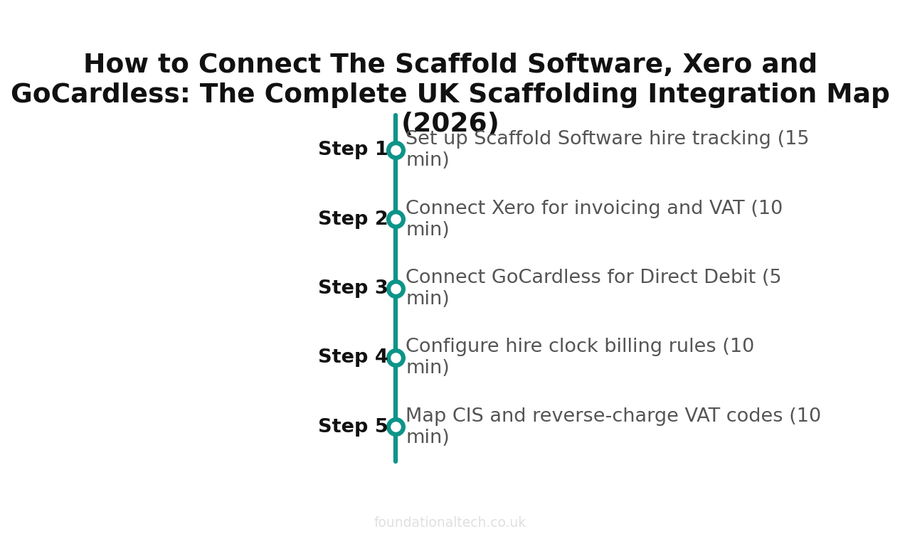
| Step | Action | Time |
|---|---|---|
| 1 | Set up Scaffold Software hire tracking | 15 min |
| 2 | Connect Xero for invoicing and VAT | 10 min |
| 3 | Connect GoCardless for Direct Debit | 5 min |
| 4 | Configure hire clock billing rules | 10 min |
| 5 | Map CIS and reverse-charge VAT codes | 10 min |
One Job, Three Tax Treatments
What catches firms out: the treatment depends on what the contract covers, not on how you lay out the invoice. Get that the wrong way round and you will code a year of sales incorrectly.
Hire-only contracts. If you are supplying scaffold with no erect or dismantle labour — kit dropped off for someone else to build — that is the hire of goods. HMRC confirms hire of goods only is outside CIS, and therefore outside the VAT domestic reverse charge. Standard-rated VAT, charged normally.
Hire, erect and dismantle under one contract, standard-rated job. This is most of your work, and here the whole supply goes one way. HMRC's technical guidance is explicit. A contract for the hire, erection and dismantling of scaffolding for construction work is standard-rated and accounted for under the reverse charge. That charge applies to the full value of the order even where separate invoices are issued for the elements, so itemising does not carve the hire out. If any part of the contract is a construction operation, CIS applies to payments under it too. Splitting it across two invoices to move the hire outside the scheme is the manoeuvre HMRC names as "invoice splitting" in its CIS manual. Separate lines for your own margin analysis: sensible. Separate invoices engineered to dodge the deduction: not.
Zero-rated new-build housing. This is the one case where itemisation changes the tax, in your client's favour. Show separate charges for hire and for erect/dismantle labour: the labour element is zero-rated as a service supplied in the course of constructing a new dwelling, while hire stays standard-rated. Bundle it into one figure and you are into an apportionment argument you did not need. The reverse charge does not apply on a zero-rated project.
In practice that means four saved invoice line items in Xero, each pre-set with its tax rate and account code. Erect labour (reverse charge); erect labour (zero-rated new build); hire (standard); and hire (reverse charge, where it forms part of a construction contract). Do it once, properly, and every invoice your scaffolding software pushes across lands correctly coded. Get it wrong and you unpick a whole quarter's VAT with your accountant charging by the hour.
Three Bridges Worth Building
Bridge 1: The seven-day inspection clock, escalated.
Trigger: a calendar event created at handover, repeating every seven days for the life of the scaffold.
Action: at 4pm on the due day, Make checks whether an inspection PDF matching the job reference has been filed in that job's cloud folder. If not, it messages the contracts manager. If it is still missing at 8am the next morning, it messages the director.
Setup time: about 90 minutes.
Why it earns its keep: Regulation 12 of the Work at Height Regulations 2005 sets a seven-day maximum interval for working platforms someone could fall 2 metres or more from. A further inspection is required after any alteration, or after weather that could have affected stability. Strictly, that statutory duty sits with the employer whose people use the platform. But the contract almost always pushes it back to you, and a scaffold with no current inspection record gets treated as unsafe regardless of its actual condition. The failure is almost never the inspection. It is that nobody owned the calendar.
Bridge 2: Off-hire request stops the meter.
Trigger: an email to a dedicated offhire@ address, which you print on every handover certificate and every hire invoice.
Action: Make parses the job reference and date, then creates a task to book the collection wagon. It raises a draft final hire invoice in Xero pro-rated to the off-hire date, and sets the repeating invoice to end.
Setup time: two hours, most of it on the email parsing rules.
Why it earns its keep: it turns off-hire from a message someone remembers into a dated instruction with an audit trail — your defence when a client claims they off-hired three weeks before they did.
Bridge 3: Payment application deadlines, tracked automatically.
Trigger: a Xero invoice created with a reference beginning "APP-".
Action: Make reads the due date and creates dated reminders for the payment notice deadline, the pay-less notice deadline, and a chase to the QS five working days before certification.
Setup time: an hour.
Why it earns its keep: the Construction Act's notice regime is the closest thing scaffolding has to free money, and missed deadlines are why applications drift from thirty days to seventy. Nobody diarises them by hand across thirty live jobs.
Stop doing scaffolding admin by hand
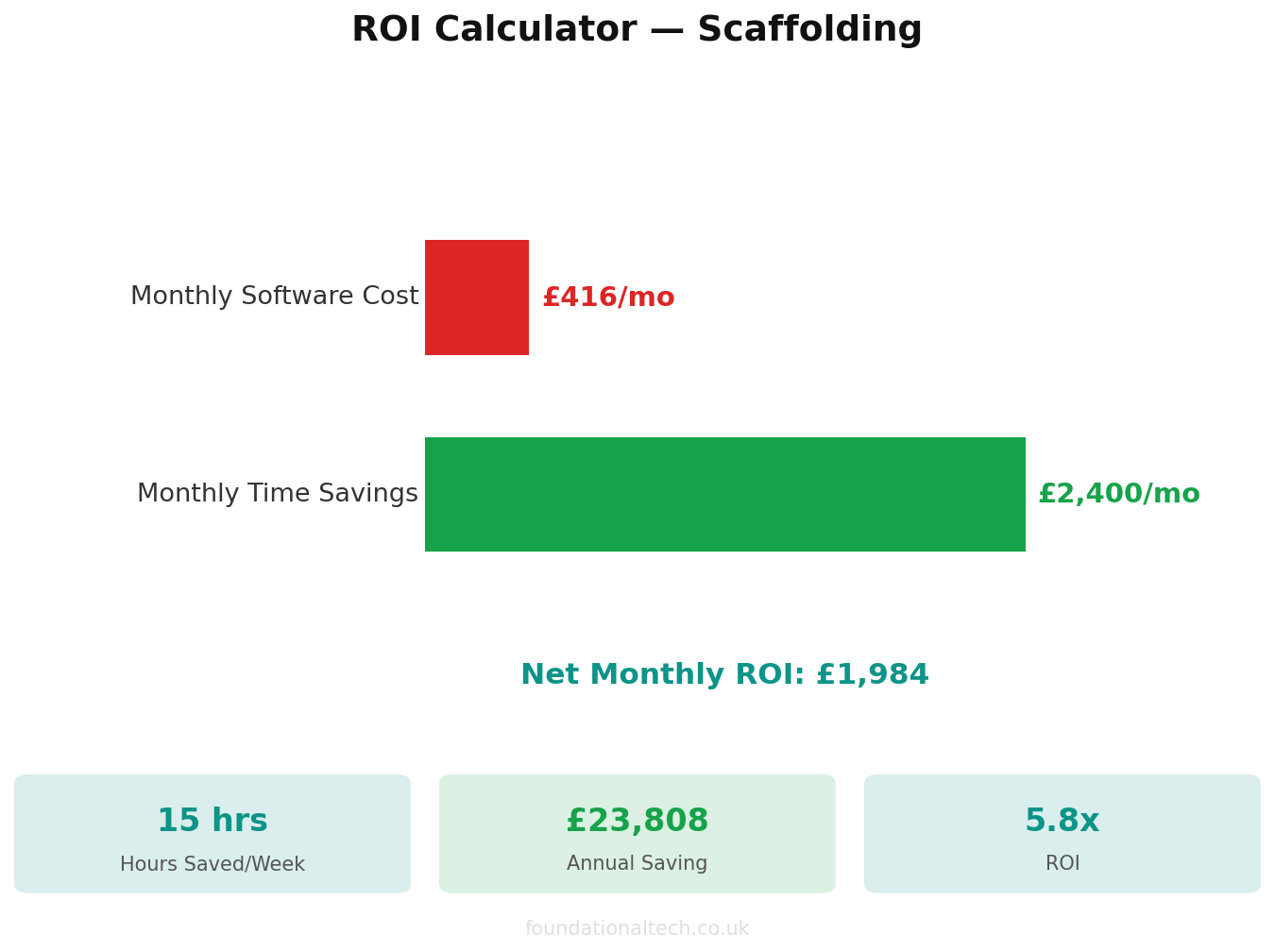
The Scaffolding Automation Starter Kit gives you a quote-to-invoice Excel workbook, a Make.com automation blueprint, and a step-by-step setup guide. Save 8–12 hours a week on paperwork.
Where the Ties Come Loose
Extra hire invoiced outside the application. The failure that opened this article. On any job paid by valuation, extra-hire weeks must enter the application as a variation, not arrive as a standalone invoice. Flag hire charges on application-based jobs before they are sent.
Retention posted as a credit note. When the QS certifies less than you applied for, the temptation is to credit the difference — and the money then vanishes from your books entirely. Post it to a separate "retention receivable" asset account so the balance sheet still shows what someone is holding.
The stock register is not your fixed asset register. Your asset tracker knows which tube is on which job; Xero knows what you paid for it and what it is worth after depreciation. Reconcile the two annually, or your accounts will carry tube that went in a skip two years ago.
Phase-tagged hours arriving after the job closes. Pro separates erection from dismantle hours, which is what you want for pricing. But dismantle lands weeks or months later, often after the job is marked complete. Keep jobs open in Xero until the dismantle wages are through, or profit-per-job will flatter every long-hire contract you run.
Pavement licence expiry. Nothing in this stack tracks it. Highway licences are time-limited, issued by the local authority, and renew on their own schedule. Put every expiry in the same calendar that drives Bridge 1.
3 tax treatments per job
Standard VAT, reverse-charge VAT, and CIS deductions handled in one stack
The Order to Wire It In
Each joint needs one real job pushed through it before you trust it with thirty.
Week one: Xero. Split the revenue accounts, build the saved line items with their tax treatments, switch on tracking categories.
Week two: The Scaffold Software to Xero. Push one completed job across and check the CIS and VAT coding before you push a second.
Week three: GoCardless for hire-only and domestic clients. Dext for cross-hire invoices.
Week four: Bridge 1 only. Live with it a fortnight before building anything else.
Month two: Bridges 2 and 3.
Running cost for a firm of ten: roughly £358 for The Scaffold Software Pro, £37–£50 for Xero, £24–£30 for Dext, under £10 for Make, plus GoCardless fees and £75–£300 a year for the eGuide. Call it £440–£460 a month excluding VAT — against a single unbilled month of ground rent on two mid-sized structures — one firm recovered over £4,600 in unbilled hire once the wiring was right.
How many weeks of ground rent did you bill last month — and how many weeks were your scaffolds actually standing? If those two numbers don't match, which system was supposed to catch the difference?
A & Y Financial Services builds these exact automation stacks for scaffolding businesses across the UK. If you've read the architecture and want someone to implement it — that's what we do.