Key Takeaway
How UK builders are using AI to cut admin time in 2026. Real examples for quoting, invoicing, and client communications — without sounding robotic.
A roofer in Bristol now writes a 600-word quote in the time it takes the kettle to boil. He photographs the job, tells his phone what the customer asked for, and a draft comes back — priced from his own rates, written in plain English, ready to tweak and send before he's off the ladder. He has not become a better typist. He has stopped typing.
That is what AI actually looks like on a building site in 2026: not robots, not hype, but the dull paperwork that eats your evenings getting done in seconds. This is the pillar piece on artificial intelligence for trades — what genuinely works right now, which tool to buy, what it still can't do, and where the line sits between letting AI draft your admin and letting it speak for your business. The earlier articles in this cluster automated the flow of your work. AI automates the writing and thinking wrapped around it.
AI for Trades: What's Actually Working Right Now
Forget the headlines about machines taking over. The honest picture is narrower and far more useful. AI today is brilliant at one specific thing: turning a rough input — a photo, a voice note, a messy paragraph — into clean, structured, professional output. For a trade business drowning in quotes, emails, certificates and customer messages, that single capability removes hours of the worst work in the week.
It is not doing the plumbing. It is doing everything around the plumbing that you never trained for and never wanted to do: the quote you write at 10pm, the polite-but-firm chaser, the risk assessment, the reply to the customer who has emailed four times. The trades pulling ahead are not the ones chasing every shiny tool. They are the ones who picked one AI assistant, learned it properly, and pointed it at the three or four jobs that steal the most time.
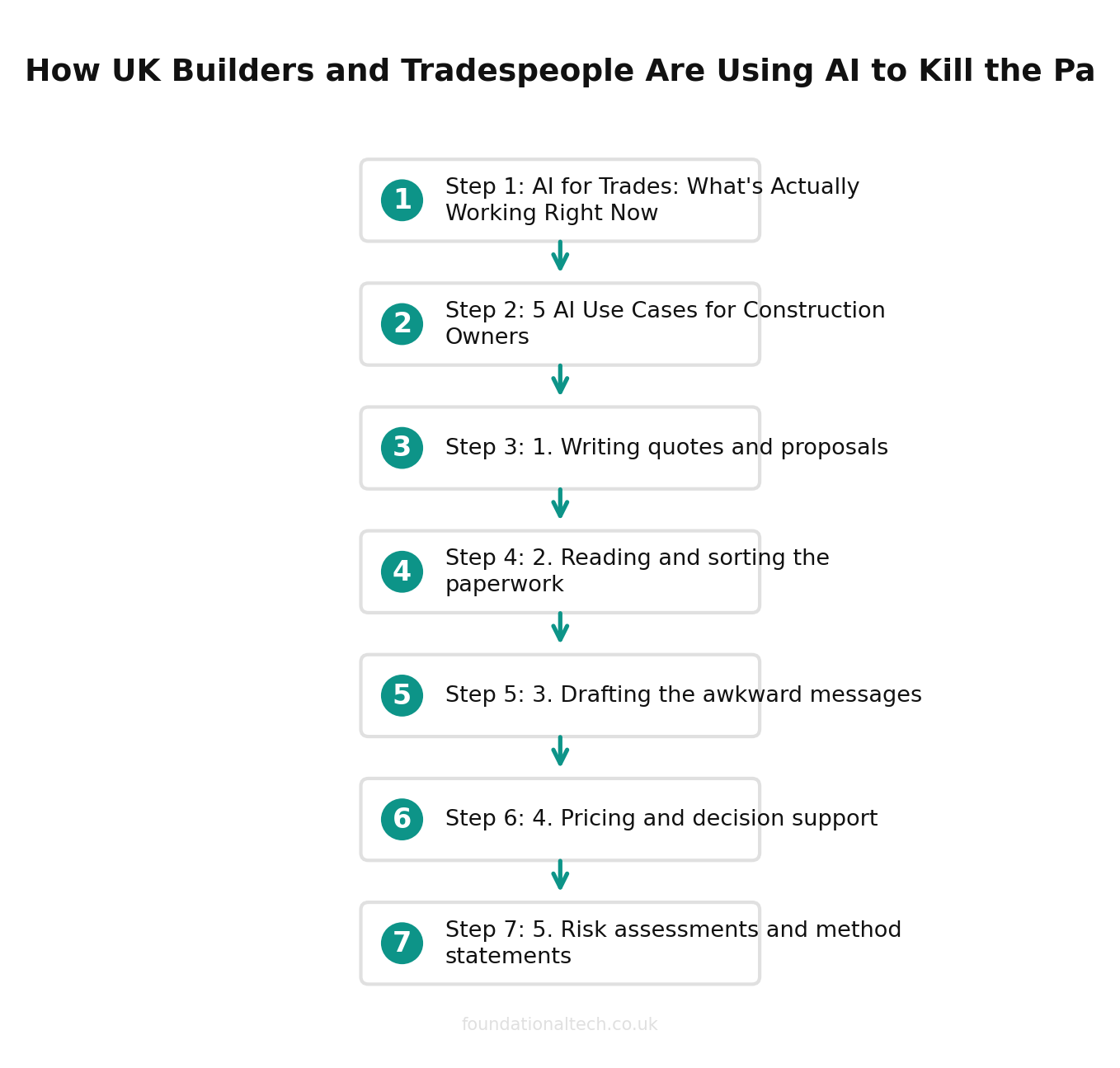
Here are the five that matter most.
5 AI Use Cases for Construction Owners
1. Writing quotes and proposals
This is the big one, and it's where most trades feel the saving on day one. A quote is the most valuable document your business produces — it wins or loses the job — and it's the one most often written late, tired, and rushed.
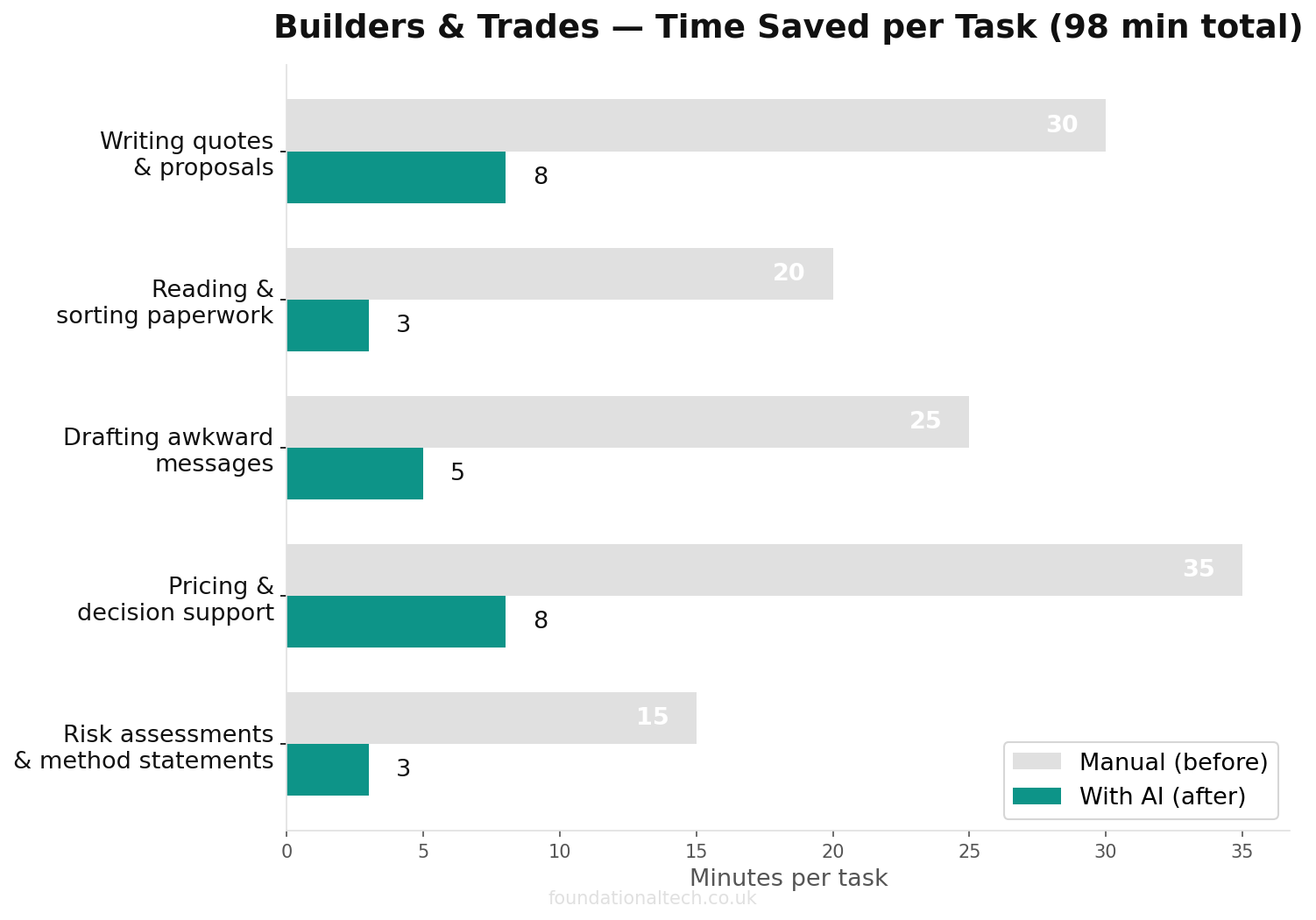
Feed an AI assistant your rough notes ("supply and fit a Worcester 30kW combi, remove old back boiler, two days, customer in Headingley") plus your day rate and typical margins, and it drafts a structured quote: scope of work, what's included, what's excluded, a clear price, and your standard terms. You read it, adjust the number, and send. The thing that took forty minutes of staring at a blank screen now takes five of editing. Crucially, a quote that goes out the same day — while the customer is still keen and hasn't called three other firms — wins far more often than one that lands four days later.
2. Reading and sorting the paperwork
A building job generates paper: delivery notes, supplier invoices, certificates, method statements, subcontractor details. AI is very good at reading a photograph of a document and pulling the numbers out of it — which is exactly what tools like Dext already do for receipts, using AI under the bonnet.
Beyond receipts, you can hand an AI assistant a long supplier quote and ask it to summarise the key figures, or paste in a confusing letter from a main contractor and ask what it actually requires you to do by when. It turns a pile of documents you'd otherwise read at the weekend into a two-line summary you read on the drive home. The paperwork doesn't disappear, but the time you spend deciphering it nearly does.
3. Drafting the awkward messages
Every trade owner has a message they keep putting off: the price increase, the "your payment is now 30 days overdue," the apology for a delayed start, the firm reply to an unreasonable demand. The reluctance to write these is a real and expensive thing — it's why invoices go unchased and difficult conversations get avoided until they're worse.
AI removes the blank-page dread. Tell it the situation in a sentence — "customer wants the job finished a week early, it's not possible, I don't want to lose them" — and it drafts a message that's firm, polite and professional. You're not sending the AI's words blindly; you're starting from a solid draft instead of a cold start. The tone is calm even when you're not, which is often the entire point.
4. Pricing and decision support
AI won't run your business, but it will help you think. Paste in last quarter's job figures and ask which type of work made the best margin. Describe a job you're unsure how to price and ask it to talk through the cost lines you might have missed — waste removal, parking, scaffold hire, the second visit you always forget to bill for. Ask it to sanity-check a quote against the materials list to see if you've under-priced.
It's a sounding board that's available at 6am and never tired. The judgement stays yours — but a second pair of eyes on a number before you commit to it has saved many a trade firm from quoting a loss.
5. Risk assessments and method statements
Here's the trade-specific one. RAMS — risk assessments and method statements — are a legal and contractual necessity on most commercial sites, and writing them is a genuine chore that pulls you off the tools. AI can produce a solid first draft from a short description of the job, the site and the hazards, structured the way a principal contractor expects.
A word of caution that matters: a RAMS document is a safety document. The AI gives you a thorough, well-structured starting point that saves you the staring-at-a-blank-template hour — but you, the competent person, must read every line, correct anything site-specific, and own the final version. Used that way, it turns a dreaded Sunday job into a twenty-minute review. Used lazily, it's a liability. More on that line below.
The Tools: Claude vs ChatGPT vs Gemini for Trades
Three assistants dominate, and for a trade business the honest answer is that any of them will transform your admin — but they have different strengths and the pricing is close enough that capability should decide it.
5+ hrs/week
of admin time saved by UK builders who use AI for quotes, emails, site reports and supplier communications
Claude (Anthropic) is widely regarded as the strongest at writing that sounds like a real person rather than a robot, which matters when the output is a customer quote or a delicate email. Claude Pro is $20/month (around £18–21 including VAT, depending on the exchange rate), or about $17/month if you pay annually. Pro also includes Claude's desktop and file features, useful if you want it working directly with documents on your computer. For most trade owners whose main use is writing and reading documents, Claude is the one I'd start with.
ChatGPT (OpenAI) is the best-known and the most general-purpose. ChatGPT Plus is roughly £20/month. It's excellent, has the largest ecosystem of add-ons, and its voice mode is genuinely useful on site — talk to it from the van and get a quote drafted hands-free. If you want one tool that does a bit of everything and you'll never read the manual, this is the safe default.
Gemini (Google) makes most sense if you already live in Google Workspace — Gmail, Google Calendar, Google Docs. It's built into those tools, so it can draft replies inside Gmail and summarise documents in Drive without copy-pasting. Google bundles Gemini into Workspace plans (Business Starter around £5.90, Standard around £11.80 per user/month), so if you already pay for Workspace you may effectively have it already.
The practical advice: don't agonise. Pick one — Claude if writing quality is your priority, ChatGPT if you want the all-rounder, Gemini if you're already on Google — pay the ~£18–20 a month, and actually use it every day for a fortnight. The cost is less than one chargeable hour. The mistake isn't choosing wrong; it's subscribing and then never opening it.
What AI Can't Do (Yet)
Being honest about the limits is how you use this well rather than badly.
It can't price your specific job from nothing. AI doesn't know your rates, your local supplier costs, or that this particular customer's "small job" always turns into three days. It drafts from what you tell it — feed it rubbish and you'll get a confident, well-written piece of rubbish back. Your numbers and your judgement are the input that makes the output worth anything.
It will sometimes be confidently wrong. AI can state a regulation, a figure or a deadline that simply isn't true — fluently and without hesitation. For anything that carries legal, financial or safety weight — CIS-compliant invoicing software rates, VAT treatment, building regs, RAMS — you check it. Treat it as a fast, capable assistant who occasionally misremembers, never as the final authority.
It can't go on site, read a room, or hold a relationship. The reason a customer chooses you over the firm down the road is usually trust, and trust is built in person. AI should clear the desk work so you have more time for the conversations that win jobs — not replace those conversations with auto-generated messages a customer can smell from a mile off. The personal touch is the one thing you can't automate, and the one thing you shouldn't try to.
That's the line: let AI draft the admin, but keep your hand on everything that speaks to a customer or carries a legal duty. Read before you send. Own what goes out under your name.
What's Coming Next in This Series
This pillar is the overview. The next three articles get specific and hands-on:
Article 7 — The Prompt Playbook: the exact prompts to copy and paste for construction quotes, chasers, RAMS and customer replies — written and tested for trades, so you're not starting from a blank box. (This one's for paying subscribers.)
Article 8 — The AI Worker Setup: how to set up an AI assistant that knows your business — your rates, your tone, your standard terms — so it drafts as if it works for you. (Also for paying subscribers.)
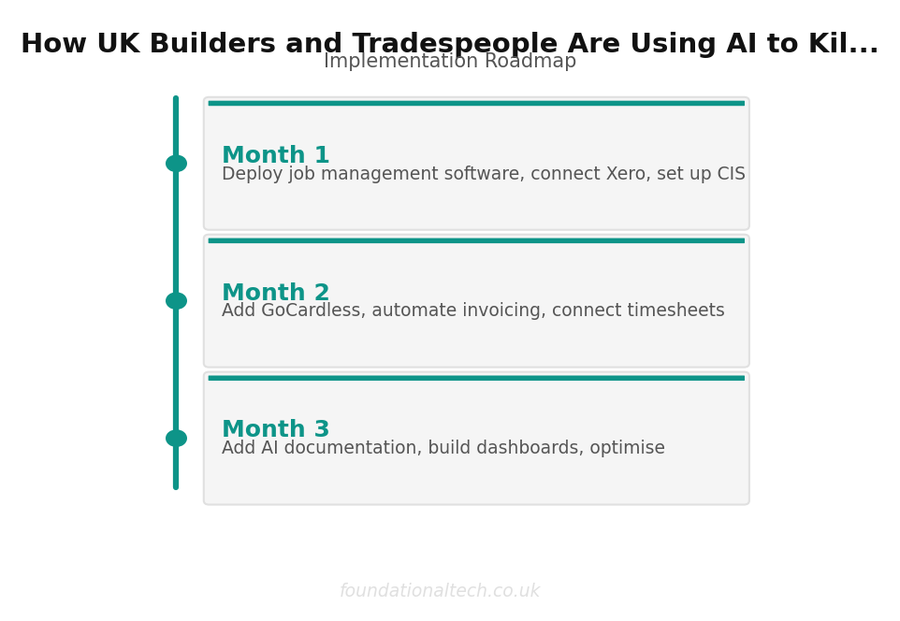
Article 9 — AI Automations: connecting AI into the Tradify–Xero stack so the drafting happens automatically, not just when you remember to ask.
Article 10 — The Case Study: a real composite firm running the full automation-plus-AI stack, with the numbers, six months in.
If you've read this far, you already understand more about practical AI than most firms on your street. The next step isn't to read more — it's to subscribe to one assistant this week and point it at the single job that wastes the most of your time. Start with the quotes. That's where the hours are.
Have you tried using AI in your trade business yet — and if so, what for? Quotes? Chasers? RAMS? Reply and tell me the one task you've handed to it (or the one you'd hand over first) — I'm collecting real examples from UK trades for the case study, and yours might make it in.
Related guides: If you found this useful, see our guide on 12 Claude Prompts Every UK Builder Should Be Using Right Now and Best Scaffolding Management Software UK: 7 Tools Compared for 2026.
A & Y Financial Services helps construction and trade businesses across the UK put AI to work alongside their Tradify and Xero stack — drafting quotes, killing the paperwork, keeping you on the tools instead of at the kitchen table. That's what we do.